
Whether you're thinking about buying your first home, selling your current one, or investing in property, understanding its true market value is the critical first step. A Comparative Market Analysis (CMA) is the go-to method for this. In simple terms, a CMA estimates a property's value by comparing it to similar homes that have recently sold in the same area. While a real estate agent can prepare one for you, there are many excellent ways to get a reliable comparative market analysis free of charge. This guide will walk you through the best tools and methods available today.
We’ve put together a list of 12 great options, from instant online estimators to professional-grade reports and do-it-yourself templates. Our goal is to empower new homebuyers and seasoned investors to navigate property valuation with confidence. To better understand the basics behind these tools, it's helpful to know about the different methods of real estate valuation.
This list provides practical, easy-to-understand insights for each option. We'll give you direct links, screenshots, and an honest look at the pros and cons to help you pick the right tool for your needs. Whether you need a quick value check or a detailed report to set a listing price, you’ll find the perfect solution here. Let's explore the top free CMA resources to help you make smarter, more informed real estate decisions.
1. Flip Smart
Best For: Real estate investors needing quick, data-driven analysis.
Flip Smart is an automated property analysis platform designed for real estate investors who need to evaluate deals quickly and accurately. While many tools give a basic home value, Flip Smart provides a complete, investor-focused report in under five minutes. This makes it an amazing tool for anyone needing a comparative market analysis free from the usual time-consuming research, allowing you to analyze far more properties.
The platform goes beyond a simple CMA by including financial models for different investment strategies. You can enter a property address and choose a template like "fix-and-flip" or "rental." Flip Smart then automatically generates a detailed analysis that includes not just comparable sales (comps) and an After Repair Value (ARV), but also AI-powered renovation cost estimates, potential cash flow, and a risk assessment. This all-in-one approach connects market value directly to investment potential.

Why It Stands Out
What makes Flip Smart special is its ability to provide a consistent, repeatable framework for analysis. For investors looking at dozens of properties a week, this system is a game-changer. It helps eliminate guesswork and emotional decisions by basing every potential deal on a standard set of data. The platform's findings are packaged into clean, shareable reports, perfect for showing to partners, lenders, or clients.
Key Features and Considerations
- Investment Strategy Templates: Pre-built models for fix-and-flip, rental, and BRRRR (Buy, Rehab, Rent, Refinance, Repeat) strategies.
- Comprehensive Financial Metrics: Delivers ARV, rehab cost estimates, cash-flow modeling, cap rate, and more.
- Speed and Scale: Reduces analysis time from hours to under five minutes, so you can evaluate more deals.
- Professional Reporting: Generates shareable, professional-looking reports to support your investment decisions.
Pricing and Access
Flip Smart uses a credit system and offers a free plan that includes one analysis credit per month, which is a great way to try out its full features. For users who need more, paid plans are available:
- Free: 1 credit/month
- Starter: $29/month for 10 credits
- Pro: $79/month for 25 credits
- Enterprise: $149/month for 50 credits
While the free plan is limited, it’s a powerful starting point. A key thing to remember is that automated estimates should always be double-checked with on-site inspections and professional quotes before you buy.
2. Redfin
Best For: Homebuyers and sellers wanting a quick, transparent home value estimate.
Redfin offers one of the most user-friendly and transparent free home value estimators, known as Automated Valuation Models (AVMs). It’s a great tool for a high-level comparative market analysis because it doesn't just give you a number—it shows you the data behind it.
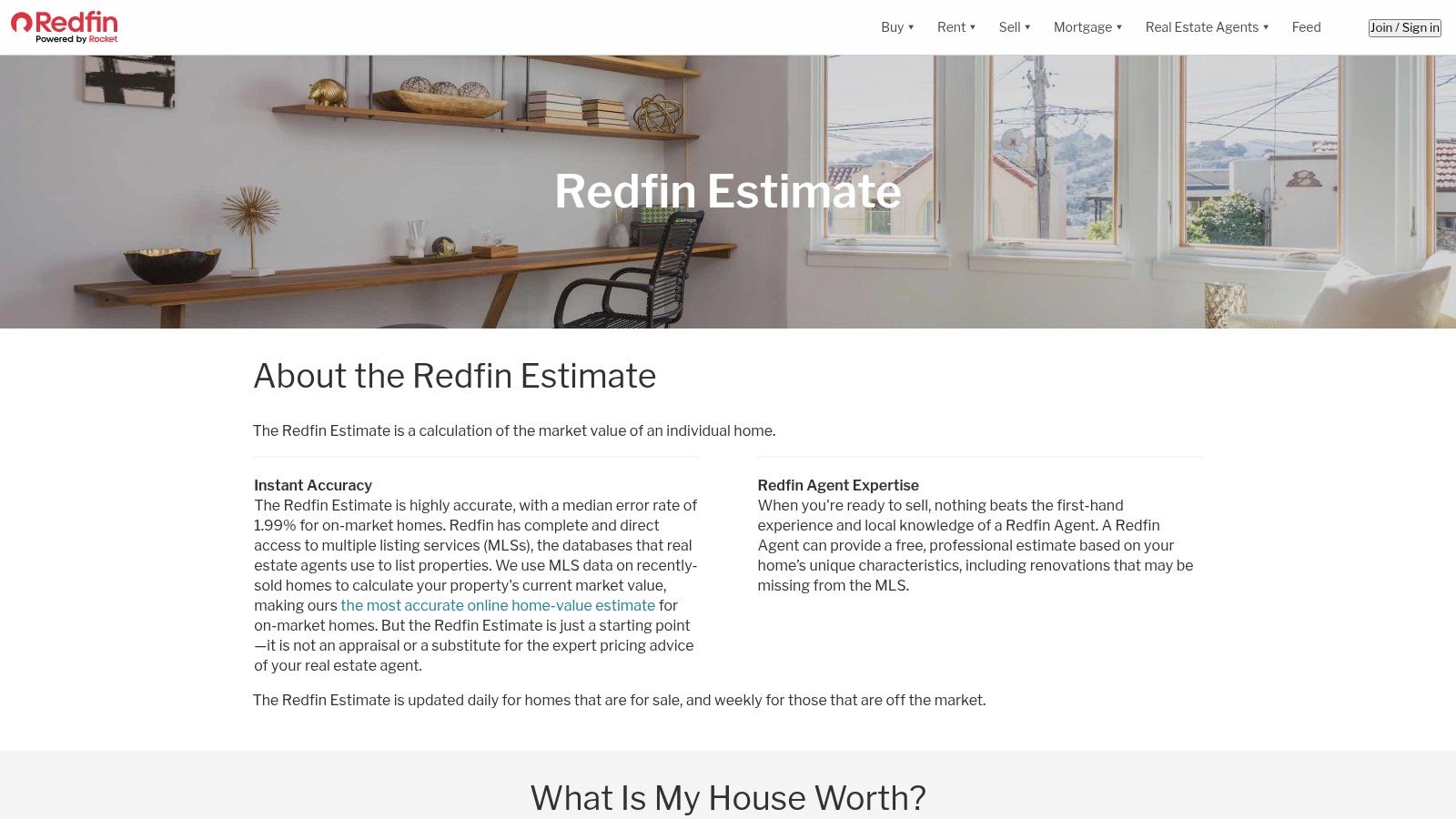
The "Redfin Estimate" is a good starting point, but the real value is in its other features. On any property page, you can see a map and list of recently sold homes that Redfin used to calculate its estimate. This transparency lets you quickly see if the comps are truly similar to the home you're looking at. To learn more about how these tools work, you can read about different real estate valuation methods.
Quick Takeaway: How to Use Redfin for Your CMA
- Get a Quick Ballpark: Use the "Redfin Estimate" for an instant property valuation.
- Check the Comps: Scroll down on a property's page to see the comparable homes used for the estimate. Are they similar in size, condition, and location?
- Request a Professional CMA: For a more accurate analysis, you can ask a local Redfin agent for a free CMA directly through the site with no obligation.
| Pros | Cons |
|---|---|
| Access to real-time MLS data is completely free. | Owner-specific tools require verifying property ownership. |
| Transparent about its estimate's accuracy. | Estimates are less reliable for unique or off-market homes. |
| Easy, no-obligation option to request a formal agent CMA. | An online estimate is not a substitute for a professional appraisal. |
Website:https://www.redfin.com/redfin-estimate
3. Zillow
Best For: Beginners and DIY home buyers gathering their first list of comparable homes.
Zillow is a household name in real estate, and it offers great tools for starting your market analysis. While its famous "Zestimate" is an automated valuation, the platform's biggest strength for a DIY CMA is its huge, easy-to-search database of recently sold properties.
Zillow makes it simple to find and filter sold homes in any neighborhood, which is the perfect first step for collecting your own comps. The site also has helpful guides that explain how to choose the right comparable properties, which helps you learn how to determine fair market value on your own.
Quick Takeaway: How to Use Zillow for Your CMA
- Find Sold Homes: Enter an address and use the "Sold" filter to see a map of recent sales.
- Narrow Your Search: Filter by number of bedrooms, bathrooms, square footage, and sale date to find the most similar homes.
- Learn the Process: Use Zillow's guides to understand what makes a good comp and how to adjust for differences between properties.
| Pros | Cons |
|---|---|
| Massive, free database of homes across the country. | The Zestimate is an estimate, not a true CMA, and can be inaccurate. |
| Excellent educational content for beginners. | Property data may be less accurate in certain states. |
| User-friendly interface for filtering sold properties. | Doesn't offer a direct way to request a CMA from an agent. |
Website:https://www.zillow.com/sellers-guide/real-estate-comps/
4. Realtor.com My Home (RealValue)
Best For: Homeowners who want to track their property's value over time.
Realtor.com offers a helpful dashboard for homeowners called "My Home," which features its "RealValue" home estimate. While it provides an instant value like other sites, its real strength is helping you monitor your property's value and see how it compares to local market trends.
The platform provides a clean interface that pulls data from multiple sources. For anyone wanting a comparative market analysis free of charge, the key feature is the "Compare similar homes" tool. This lets you see which properties Realtor.com considers comparable to yours, giving you insight into what’s driving your home's estimated value.
Quick Takeaway: How to Use Realtor.com for Your CMA
- Claim Your Home: Create a free account and "claim" your home to access the My Home dashboard.
- Track Your Value: Use the "RealValue™" estimate as a starting point and watch how it changes over time.
- Review the Comps: Click on "Compare similar homes" to see the active and recently sold properties the site is using for its calculation.
| Pros | Cons |
|---|---|
| Great for tracking your home's value and equity. | You need to create a free account to use the best features. |
| Easy-to-use and navigate. | Data can sometimes be slightly delayed compared to the MLS. |
| Provides a range of values, not just one number. | Less useful for analyzing properties you don't own. |
Website:https://www.realtor.com/myhome
5. RPR (Realtors Property Resource)
Best For: Working with a licensed REALTOR® for a professional-grade analysis.
For licensed real estate agents, Realtors Property Resource (RPR) is the industry-leading tool for creating a thorough comparative market analysis free of extra cost. It’s a benefit of being a member of the National Association of REALTORS® (NAR) and offers a level of detail that public websites can't match.
RPR is not available to the general public. It pools data from the MLS, public records, tax information, and neighborhood demographics to create incredibly detailed reports. An agent using RPR can give you a valuation that considers factors most online estimators miss, making it a powerful resource for buyers and sellers who need high accuracy.
Quick Takeaway: How to Get an RPR Report
- Work with a REALTOR®: The only way to get an RPR report is to ask a licensed REALTOR® who is a member of NAR.
- Ask for a Full CMA: Your agent can use RPR's CMA builder to find and adjust comparable properties and create a detailed valuation based on their professional expertise.
- Review the Report: RPR generates polished, easy-to-read reports that include local market trends, school data, and historical charts.
| Pros | Cons |
|---|---|
| Professional-grade tool included with an agent's NAR membership. | Access is restricted to NAR members; not for public use. |
| Highly customizable and detailed reports. | You must work with a REALTOR® to get a report. |
| Pulls data from many reliable sources for high accuracy. | The tool can be complex, but your agent will handle that. |
Website:https://www.narrpr.com
6. Cloud CMA (Lone Wolf)
Best For: Getting a polished, easy-to-read report from a real estate agent.
Cloud CMA is a popular tool that real estate agents use to create professional-looking CMA reports for their clients. While you can't use it directly, there's a good chance that if you ask an agent for a comparative market analysis free of charge, they will use this software to generate it. It’s designed to turn complex market data into a clear and visually appealing presentation.
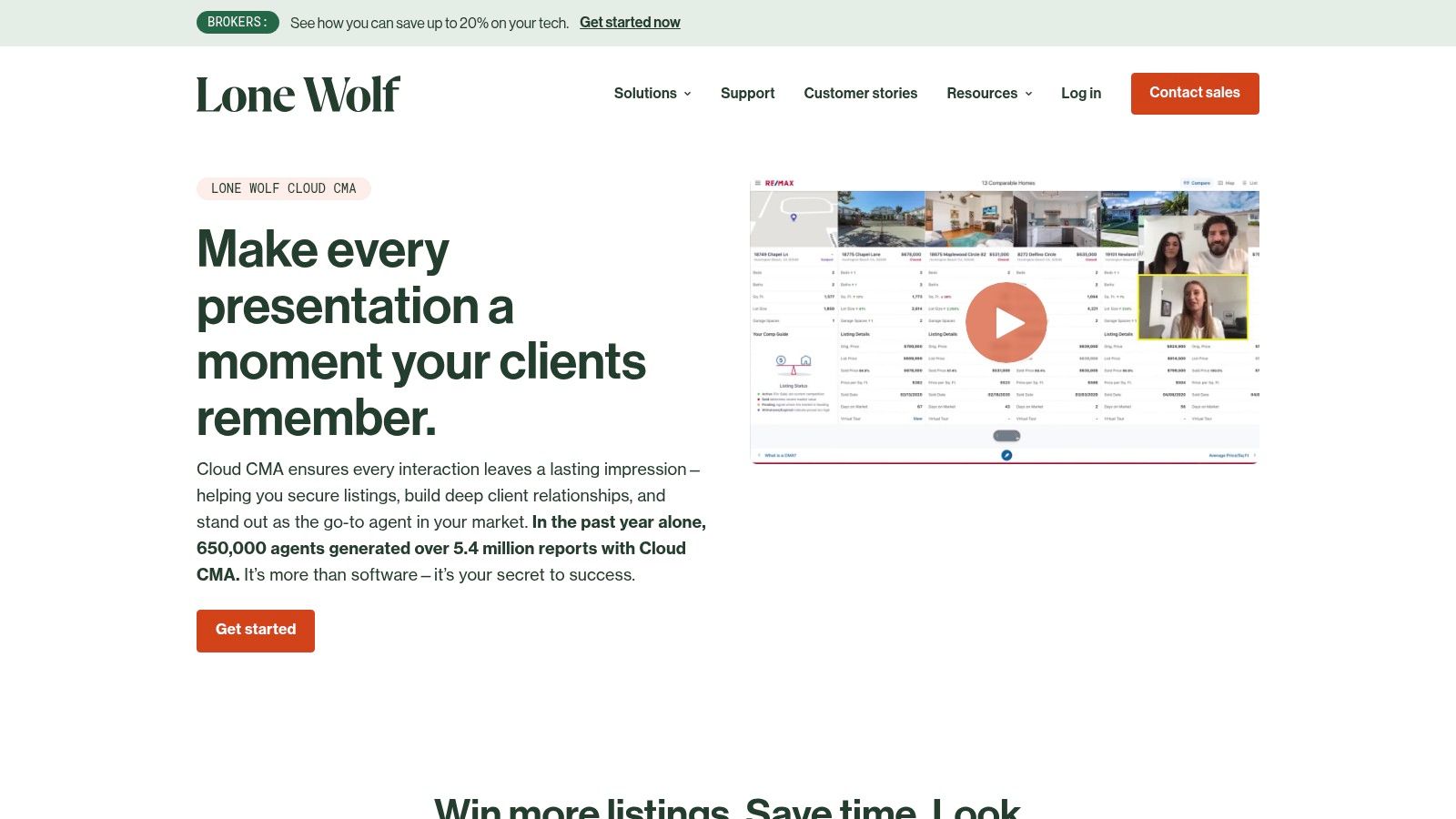
Cloud CMA reports are meant to help agents explain a home's value to clients, so they are data-rich but easy to follow. An agent can generate a comprehensive analysis for you in just a few minutes, complete with their branding, detailed information on comparable properties, and local market statistics.
Quick Takeaway: How to Benefit from Cloud CMA
- Find a Local Agent: Connect with a real estate agent in your area. Many offer a free CMA as a way to introduce themselves and their services.
- Request a CMA: Ask the agent for a market analysis on a property you're looking to buy or sell.
- Review the Presentation: Agents can even present the CMA interactively on a tablet, turning a static report into a dynamic conversation about the property’s value.
| Pros | Cons |
|---|---|
| Produces polished, professional reports that are easy to understand. | Not directly accessible to consumers; you need an agent. |
| Uses up-to-the-minute data from the MLS. | The report is free to you, but the agent pays for the software. |
| Includes interactive features for better client meetings. | The quality of the analysis depends on the agent’s skill. |
Website:https://www.lwolf.com/products/cloud-cma
7. PropertyShark
Best For: Investors and agents needing detailed data, especially in big cities.
PropertyShark offers a professional-level toolkit for finding comparable sales data. While its full features require a subscription, its free account provides a valuable way to perform a basic comparative market analysis free of charge. The platform is particularly strong in major metropolitan areas, offering in-depth property records and detailed reports.
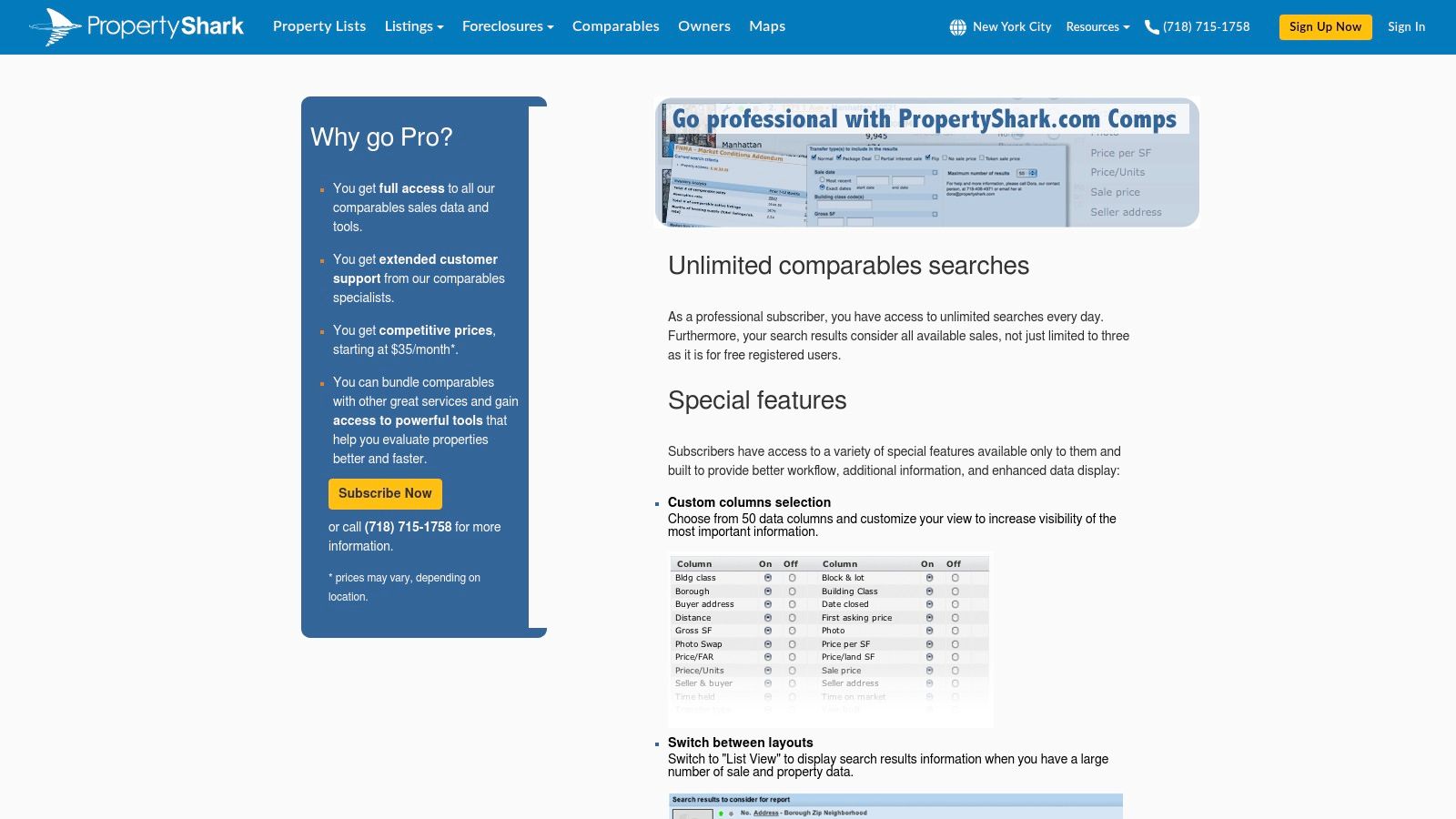
The platform’s strength is its highly customizable search filters. You can define a search radius, select a timeframe, and filter by property features to find the most relevant comps. This level of control is helpful for unique properties where standard online estimators often struggle.
Quick Takeaway: How to Use PropertyShark's Free Tier
- Search for Comps: Use the tool to find recently sold properties based on location, property type, and sale date. The free tier allows a limited number of searches.
- Customize Your View: Adjust the results to see the data that matters most, such as price per square foot.
- Export Your List: PropertyShark lets you export your list of comps, which is great for building your own CMA spreadsheet.
| Pros | Cons |
|---|---|
| Very detailed data in major cities like New York. | The free account is quite limited in how many results you can see. |
| Professional-level features for serious investors. | Full access requires a paid subscription. |
| Customizable search filters help find the best comps. | May have less data in more rural areas. |
Website:https://www.propertyshark.com/mason/Marketing/Comps/comps_pro.html
8. eppraisal
Best For: Getting a super-fast, no-frills home value estimate.
eppraisal offers one of the simplest and most direct home value estimators available online. It’s a great, no-cost starting point for anyone who wants a quick estimate based on public records. While it's not a full CMA, it helps you understand the basics of how these estimates are made.
The platform is built for speed and simplicity. You enter an address, and it gives you an estimated value along with a list of comparable properties used in the calculation. What makes eppraisal helpful is its transparency; it explains how comps are chosen and why estimates might not always be perfect, especially in states with less available public data.
Quick Takeaway: How to Use eppraisal
- Get an Instant Estimate: Just type in a property address to get a quick valuation.
- Check the Comps: The report includes a list of nearby homes used to generate the estimate. You can review them to see if they seem relevant.
- Read the Guides: The site has a helpful FAQ that explains its data sources and why valuations can vary.
| Pros | Cons |
|---|---|
| Free and incredibly easy to use for a quick baseline. | Provides an automated estimate only, not a comprehensive CMA. |
| Explains the limitations of online estimates. | Can be less accurate in areas with few recent sales. |
| No signup or personal information required. | Lacks the interactive tools of larger platforms. |
Website:https://www.eppraisal.com/home-estimate/
9. Innago
Best For: DIY investors and landlords who like using spreadsheets.
Innago offers a free downloadable Excel spreadsheet for those who prefer a hands-on approach to creating a comparative market analysis. This tool is perfect for real estate investors and landlords who want to price rental properties or evaluate potential purchases. It gives you a structured way to collect and analyze comps offline.
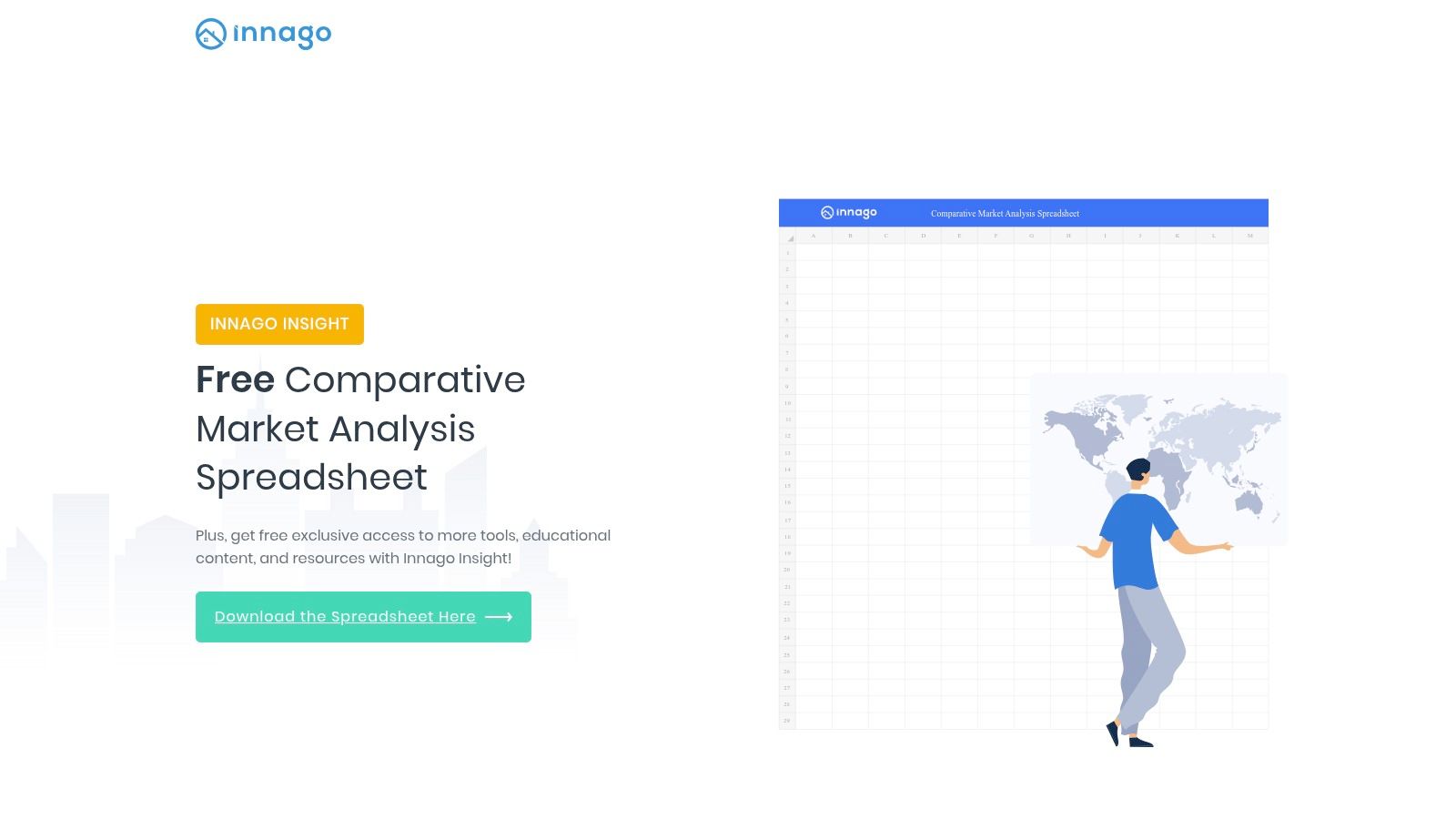
Unlike automated online tools, Innago’s spreadsheet puts you in complete control. You are responsible for finding and entering the data for comparable properties from sources like Zillow or public records. This manual method helps you gain a much deeper understanding of the market.
Quick Takeaway: How to Use the Innago Spreadsheet
- Download the Template: Get the free Excel file from their website.
- Gather Your Data: Find 3-5 comparable properties and fill in their details (address, square footage, sale price, etc.).
- Analyze the Results: The spreadsheet automatically calculates averages for key metrics like price per square foot, giving you a data-backed valuation.
| Pros | Cons |
|---|---|
| Completely free download with no account needed. | Requires you to find and enter all data manually, which takes time. |
| You have full control over which comps are used. | Data is not live and can become outdated quickly. |
| Great for offline use and keeping your own records. | Can be prone to errors if data is entered incorrectly. |
Website:https://innago.com/comparative-market-analysis-spreadsheet/
10. RealEstateSpreadsheets
Best For: Investors who want a standard, offline tool for analyzing deals.
For investors who like a hands-on, organized approach, RealEstateSpreadsheets offers a powerful Excel-based tool. It moves away from automated estimates and empowers you to build your own detailed reports from scratch. It’s designed for people who gather their own comp data and need a structured way to analyze it consistently across multiple properties.
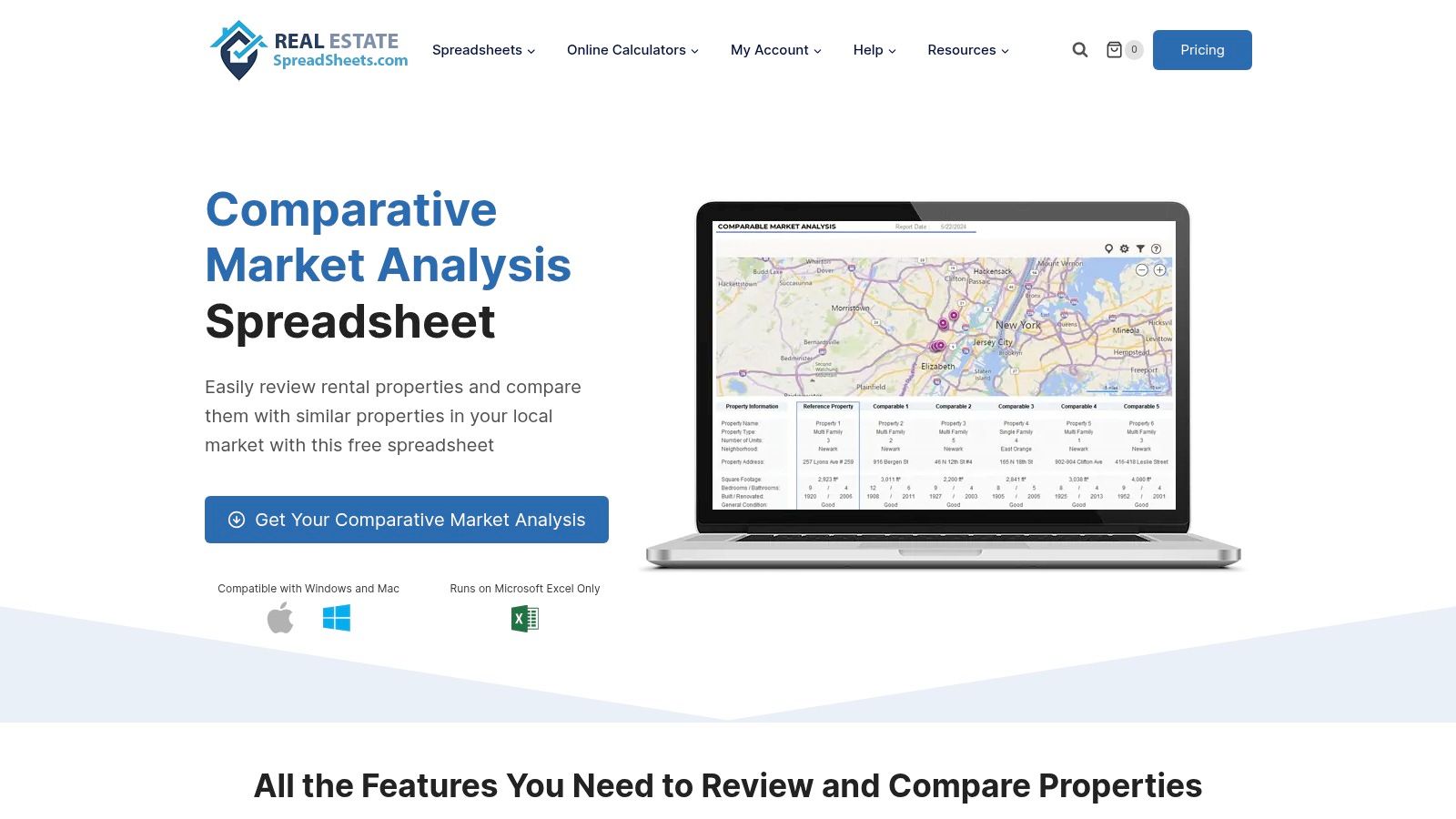
The template's real strength is its investor-focused design. It helps you make more disciplined, data-driven decisions. This is a classic, manual way to perform a comparative market analysis free of any website's specific algorithm.
Quick Takeaway: How to Use This Spreadsheet
- Enter Property Details: Manually input the subject property's details and the data for each comparable property you've found.
- Generate a Summary: The template automatically creates a clean, one-page summary of your analysis, which is perfect for sharing with partners.
- Track Your Offers: A unique feature lets you log offers you've made on different properties, helping you manage your deals.
| Pros | Cons |
|---|---|
| Investor-friendly layout helps with decision-making. | You must have Microsoft Excel to use it. |
| Standardizes your DIY CMA process for consistency. | Requires you to manually source and enter all comp data. |
| Completely free and works offline. | No live data integrations with the MLS. |
Website:https://www.realestatespreadsheets.com/comparative-market-analysis/
11. ClickUp (Comparative Market Analysis template)
Best For: Agents and investors who need to present their findings professionally.
For those who want to structure their findings into a professional, shareable report, ClickUp offers a free and flexible template. This isn't an automated tool; instead, it's a manual solution to help you organize the data you've already collected. It’s an excellent final step for presenting your analysis to a client or investment partner.
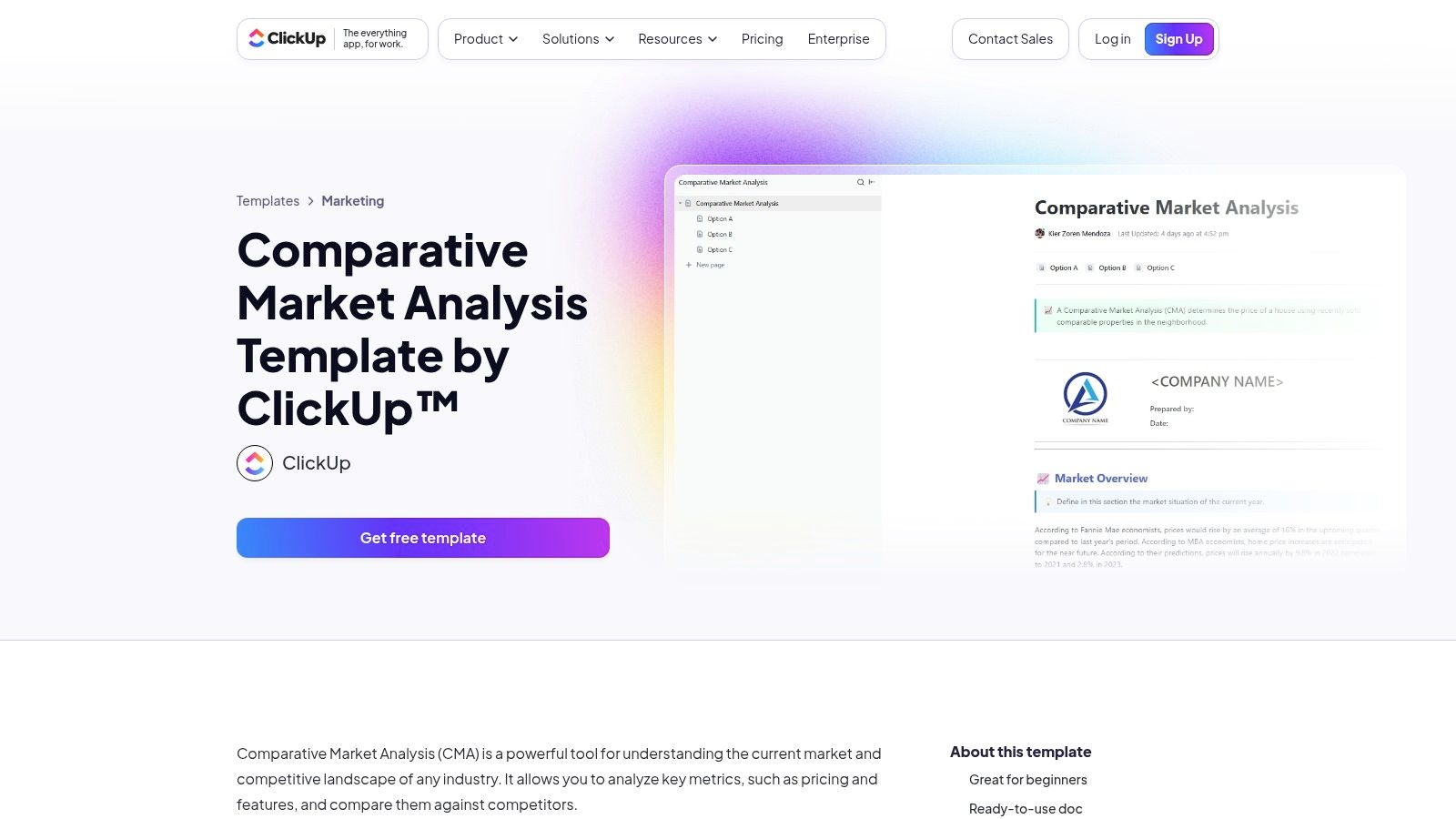
The platform works like a project management tool for your real estate analysis. You manually input property details, comparable sales data, and market trends into a pre-made document. This approach helps you create a polished final report. For those new to this, learning to use a comparative market analysis template can be a big advantage.
Quick Takeaway: How to Use the ClickUp Template
- Use the Template: The structured document helps you organize property details, comps, and your final value conclusion.
- Collaborate with Your Team: If you use ClickUp, your team can work on the document together in real time.
- Customize Your Report: You can add or remove sections to fit the specific needs of your analysis.
| Pros | Cons |
|---|---|
| A free and flexible template for building a CMA report. | Not connected to any property databases; requires manual data entry. |
| Allows for team collaboration within the ClickUp platform. | Advanced features require a paid ClickUp plan. |
| Encourages a detailed, manual review of your data. | It's a documentation tool, not a data-finding platform. |
Website:https://clickup.com/templates/comparative-market-analysis-kkmvq-6082328
12. SlidesCarnival
Best For: Creating a professional presentation of your CMA findings.
For agents, investors, or anyone who needs to present their findings, SlidesCarnival is a fantastic final step. It’s not a CMA tool itself, but a library of free, high-quality presentation templates for Google Slides and PowerPoint. This resource helps you turn your raw data into a compelling, client-ready slideshow.
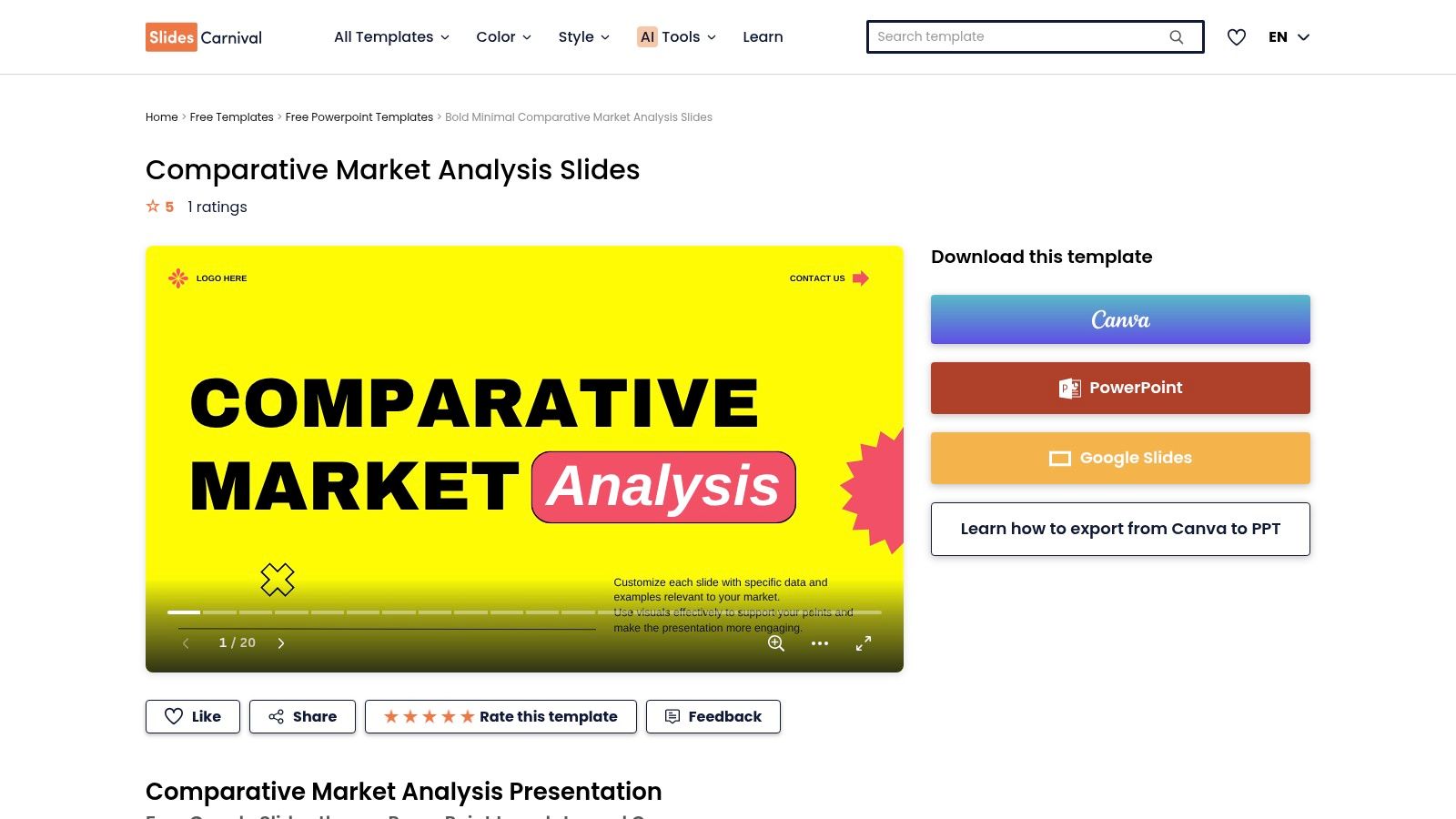
After you've gathered your comps and calculated a value using other tools, SlidesCarnival provides the polished framework. Their "Comparative Market Analysis" templates have pre-designed slides for property overviews, comp details, market trends, and final summaries. This lets you focus on your analysis, not on graphic design.
Quick Takeaway: How to Use SlidesCarnival
- Choose a Template: Find a CMA presentation template that fits your style.
- Customize with Your Data: Add your own photos, maps, and pricing data to the pre-built slides.
- Present Professionally: Use your polished presentation to share your findings with clients or partners.
| Pros | Cons |
|---|---|
| Quickly create a professional-looking presentation deck. | Is not a CMA tool; you must provide all the data yourself. |
| Completely free with no registration required. | Templates are a framework and require significant data input. |
| Works with PowerPoint, Google Slides, and Canva. | Focuses on design, not the analysis process itself. |
Website:https://www.slidescarnival.com/template/comparative-market-analysis-slides/213256
12 Free Comparative Market Analysis Tools Comparison
| Product | Core features | UX / Quality | Value & Pricing | Target audience | Unique selling points |
|---|---|---|---|---|---|
| Flip Smart 🏆 | ✨ Automated ARV, rehab estimator, cash-flow & comps in one workflow | ★★★★☆ — fast, consistent reports | 💰 Free (1 credit) / $29 / $79 / $149‑mo (credits) | 👥 Investors: flippers → portfolio managers | 🏆✨ Rapid, repeatable deal analysis; portfolio & API features |
| Redfin | Owner Estimate, visible comps, optional agent estimate | ★★★★ — MLS-powered, transparent metrics | 💰 Free | 👥 Homeowners & casual sellers | ✨ MLS data + published error rates; free agent option |
| Zillow | "Recently Sold" search, Zestimates, how-to guides | ★★★ — broad coverage, easy start | 💰 Free | 👥 DIY users, early-stage investors | ✨ Nationwide sold data & educational guides |
| Realtor.com My Home (RealValue) | Value tracking, comparable homes, proceeds tools | ★★★★ — polished UX | 💰 Free (login) | 👥 Homeowners tracking value | ✨ Ongoing value updates tied to comps |
| RPR (Realtors Property Resource) | Pro CMA builder, RVM valuations, deep datasets | ★★★★★ — professional-grade reports | 💰 Free with NAR membership | 👥 Licensed REALTORS | ✨ Extensive datasets (liens, schools, demographics) |
| Cloud CMA (Lone Wolf) | Automated CMAs, branded templates, live presentations | ★★★★ — client-ready presentations | 💰 Paid subscription (varies) | 👥 Agents & brokerages | ✨ Branded CMAs + live presentation mode |
| PropertyShark | Comparable search, exports, metro-focused data | ★★★★ — detailed metro coverage | 💰 Free limited / Pro subscription | 👥 Agents & investors in metros | ✨ Deep data in major metros (e.g., NYC) |
| eppraisal | Instant AVM by address with comps context | ★★ — quick baseline estimates | 💰 Free | 👥 Consumers seeking fast estimates | ✨ Simple, no-cost starting point; explains limits |
| Innago | Excel CMA spreadsheet + how‑to guidance (download) | ★★ — manual but structured | 💰 Free | 👥 DIY investors & landlords | ✨ Offline, editable Excel CMA workflow |
| RealEstateSpreadsheets | Excel CMA + offer tracking & printable summaries | ★★ — investor-focused templates | 💰 Free | 👥 Investors standardizing analysis | ✨ Investor-tailored worksheets for deal tracking |
| ClickUp (CMA template) | Ready CMA template with collaboration features | ★★★ — flexible within ClickUp | 💰 Free template; ClickUp paid tiers optional | 👥 Teams & agents needing workflows | ✨ Collaborative template + tasking support |
| SlidesCarnival | Presentation templates for CMAs (Slides/Canva/PPT) | ★★★ — fast, polished decks | 💰 Free | 👥 Agents & presenters packaging CMAs | ✨ Multiple styles for client-facing presentations |
Choosing the Right CMA Tool for You
Understanding a property's value can feel overwhelming, but as you've seen, there are many powerful free tools to help. The key is to realize that no single tool has all the answers. The best approach is to combine the strengths of different resources to arrive at a confident price estimate. Getting a reliable comparative market analysis free of charge is about cross-referencing information, not relying on a single source.
Your goal in the real estate process will determine which tool is best. For a homebuyer or seller who needs a quick starting point, online estimators from Zillow, Redfin, or Realtor.com are perfect. They give you an instant feel for the market. However, for a real estate investor, the analysis needs to be much deeper.
A Checklist for Choosing Your CMA Tool
- For a Quick Gut-Check: Use Zillow or Redfin's online estimators if you're browsing listings and need an immediate sense of a property's value.
- For a Serious Investor: When profit is on the line, a more powerful tool is needed. A platform like Flip Smart is ideal. Its free plan goes beyond a simple value to include after-repair value (ARV) and estimated rehab costs.
- For the Highest Accuracy: When you need a CMA for a formal offer or a property listing, nothing beats the expertise of a licensed real estate agent. They have access to the most up-to-date MLS data and professional tools like RPR or Cloud CMA.
- For the DIY Analyst: If you prefer hands-on control, use a spreadsheet template from RealEstateSpreadsheets or Innago. This method forces you to dive deep into the data and truly understand the market.
Once your analysis is done, how you present it matters—especially when negotiating or getting a loan. A well-organized report, perhaps created with a template from SlidesCarnival, can make your data more convincing. And if you're preparing a home for sale, remember that value is just one part of the equation. Making a property look its best can significantly boost its final sale price. Exploring the best virtual home staging software offers a modern, affordable way to showcase a home’s full potential.
Ultimately, a free comparative market analysis is more than just a number; it’s a story about a property’s value in today's market. By combining automated tools, professional insights, and your own research, you can make smarter, more confident real estate decisions.
Ready to move from basic valuation to sophisticated deal analysis? Flip Smart offers a powerful platform designed for investors who need more than just a number. Get your free comparative market analysis that includes ARV, rehab estimates, and profit projections to evaluate your next flip or rental property with confidence. Sign up for Flip Smart for free today and start making data-driven investment decisions.
Frequently Asked Questions (FAQ)
1. What is the difference between a CMA and an appraisal?
A Comparative Market Analysis (CMA) is an estimate of a home's value based on recently sold, similar properties, typically prepared by a real estate agent to help set a listing price or make an offer. An appraisal is a more formal, detailed valuation performed by a licensed appraiser for a lender to determine the property's value for a mortgage loan.
2. How recent should the comparable sales be for a good CMA?
For the most accurate CMA, comparable sales should ideally be from the last 3 to 6 months. In a fast-moving market, sales from the last 90 days are even better. The more recent the sale, the more accurately it reflects current market conditions.
3. What are the most important factors when choosing "comps"?
The best "comps" (comparable properties) are those most similar to your subject property. Key factors to look for include location (same neighborhood or school district), square footage, number of bedrooms and bathrooms, age of the home, lot size, and overall condition.
4. Can I negotiate a home's price using my own CMA?
Absolutely. A well-researched CMA that you've prepared can be a powerful negotiation tool. If you can show the seller, with data from comparable sales, that their asking price is too high, you have a solid foundation for making a lower offer. It demonstrates that your offer is based on market facts, not just a random number.
5. How often should I check my home's value with a CMA?
If you're not planning to sell, checking your home's value once a year using an online tool is usually sufficient to stay informed. If you are considering selling within the next year, it's a good idea to request a more detailed CMA from a real estate agent every 3-6 months to track market trends closely.