

As a landlord, juggling rent payments, maintenance costs, and tax obligations can quickly become overwhelming. Using generic spreadsheets or outdated methods leaves room for costly errors and missed deductions. The right accounting software doesn't just simplify bookkeeping; it provides a clear financial picture of your portfolio, automates tedious tasks, and ensures you're prepared for tax season. It transforms your rental business from a complex chore into a streamlined, profitable operation.
This guide is designed to cut through the noise and help you find the best accounting software for landlords, whether you manage a single property or a growing portfolio. Before diving into specific software options, it's crucial to grasp the fundamental principles of managing your rental property finances. Understanding bookkeeping basics for small business owners will equip you with the knowledge to make an informed decision and get the most out of whichever platform you choose.
We'll break down the features that matter most, from automated income and expense tracking to generating a Schedule E and handling 1099s. Each review includes a detailed analysis, screenshots, direct links, and a clear "best for" recommendation, helping you match the software to your specific needs. We’ll cover everything from simple, free tools to comprehensive property management platforms like Stessa, Landlord Studio, and Buildium.
For investors focused on maximizing returns, pairing robust accounting software with a powerful analysis tool like Flip Smart creates a complete system for managing and growing your real estate investments. This guide provides the practical insights you need to make a confident choice, save significant time, and improve your bottom line.
1. Stessa
Stessa is purpose-built for real estate investors, making it our top pick for the best accounting software for landlords. Its design philosophy centers on the specific needs of property owners, moving beyond generic business accounting to provide tools that directly impact a rental portfolio's profitability. The platform excels at automating the tedious aspects of bookkeeping.
By linking your bank accounts, mortgages, and property management accounts, Stessa automatically imports transactions and attempts to categorize them, saving significant manual entry time. This automation feeds directly into its powerful reporting engine, which can generate key financial statements like income statements, net cash flow reports, and capital expense summaries on both a property and portfolio level.
Key Features & Use Cases
- Automated Income & Expense Tracking: Connect unlimited bank accounts to automatically sync and categorize transactions.
- Tax-Ready Reporting: Generate reports specifically formatted for tax season, including a Schedule E report that simplifies filing.
- Online Rent Collection: A built-in feature that allows tenants to pay online via ACH, streamlining your cash flow.
- Performance Dashboards: At-a-glance dashboards visualize critical metrics like revenue, expenses, and appreciation.
Best For: Landlords of all sizes, from single-family rental owners to those with large, multi-property portfolios, who want a specialized, real-estate-first accounting solution.
Pricing and Onboarding
Stessa offers a robust free tier, "Stessa Essentials," that includes unlimited properties, automated bank linking, and standard reporting. For landlords needing more advanced capabilities, the "Stessa Pro" plan unlocks features like advanced transaction management, unlimited budget creation, and more in-depth reporting for a monthly fee. The user interface is clean and intuitive, making the onboarding process straightforward. Simply create an account, add your properties, and link your financial accounts to get started.
For investors who want to dive deeper into the financial calculations that drive profitability, understanding the core real estate math formulas can provide valuable context for the data Stessa presents.
- Pros:
- Unlimited properties on all plans, including the free tier.
- Exceptional reporting depth tailored for real estate investors.
- Integrated rent collection and tenant screening tools.
- Cons:
- Advanced features like budgeting require upgrading to a paid plan.
- Lacks comprehensive property management features like maintenance coordination.
Visit Stessa.com to learn more.
2. Landlord Studio
Landlord Studio is a powerful, mobile-first platform that blends essential property management features with dedicated accounting tools, making it a top choice for landlords who manage their business on the go. Its strength lies in its intuitive design and robust app for both iOS and Android, which allows property owners to handle bookkeeping from anywhere. The software streamlines financial management by connecting directly to your bank accounts to import and categorize transactions automatically.
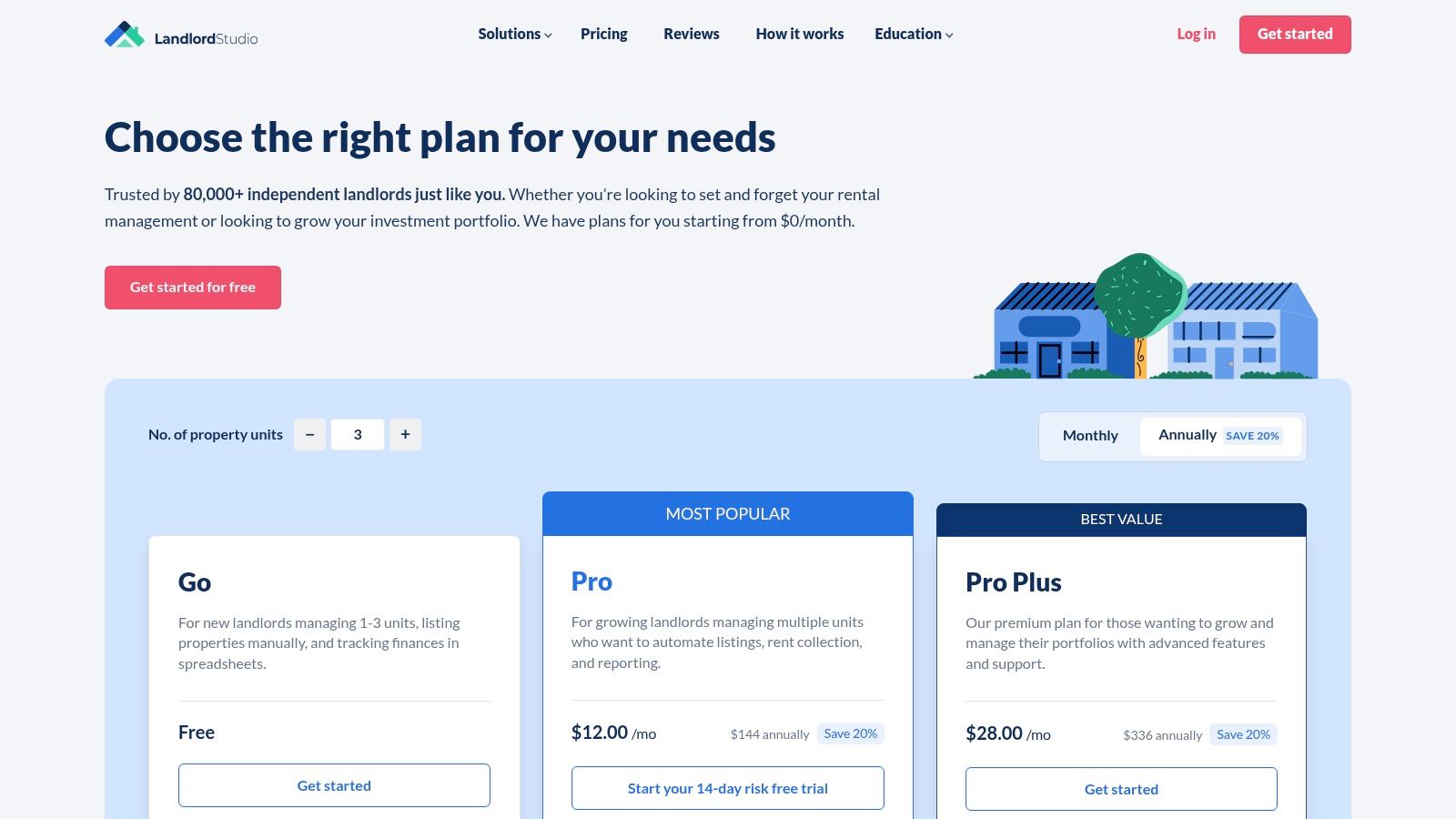
This focus on mobile accessibility doesn't compromise its accounting capabilities. Landlord Studio offers receipt scanning, customizable tax reporting, and online rent collection, all feeding into a central dashboard. For landlords who use more comprehensive business accounting software, the integration with Xero provides a seamless way to sync rental portfolio data with their main books, offering a flexible and scalable solution.
Key Features & Use Cases
- Integrated Rental Accounting: Automate bookkeeping with smart bank feeds and transaction matching.
- Tax-Ready Reports: Generate key reports, including a Schedule E, to simplify tax preparation.
- Receipt Scan & Expense Tracking: Digitize receipts using your phone's camera and link them to specific properties and expenses.
- Native Mobile Apps & Xero Integration: Full-featured iOS and Android apps for on-the-go management, plus a direct integration with Xero.
Best For: Small to mid-sized landlords who prioritize mobile access and want a user-friendly platform that combines accounting with core property management tasks.
Pricing and Onboarding
Landlord Studio offers a tiered pricing structure starting with the "GO" plan, which is a free option for those managing up to 3 units. For more features and unlimited units, users can upgrade to the "PRO" plan for a monthly fee. The onboarding process is designed to be simple: sign up, add your property details, link bank accounts, and you can begin tracking financials immediately. The clean interface makes navigation easy for new users.
Understanding how to properly manage your financials is key, and tools like this simplify tracking your rental property cash flow to ensure profitability.
- Pros:
- Excellent mobile experience for managing finances on the move.
- Approachable and easy to use, even for landlords new to accounting software.
- Xero integration provides flexibility for more complex accounting needs.
- Cons:
- Advanced features like multi-user access are limited to higher-tier plans.
- May not be robust enough for very large, institutional-level portfolios.
Visit LandlordStudio.com to learn more.
3. Buildium
Buildium is a comprehensive property management platform that offers a powerful, integrated accounting system. Unlike tools designed solely for bookkeeping, Buildium positions its financial features as the core of a much larger ecosystem, making it a strong contender for the best accounting software for landlords who need an all-in-one solution. The platform is engineered to handle complex financial tasks, including trust accounting, which is essential for managers handling tenant security deposits and owner funds.
This integrated approach means financial data flows seamlessly from leasing and maintenance activities. When a lease is signed or a work order is paid, the transaction is automatically recorded in the appropriate ledger, reducing errors and saving time. Buildium is built to scale, serving everyone from landlords with a few properties to large property management firms managing hundreds of units.
Key Features & Use Cases
- Comprehensive Accounting and Reporting: Generate detailed financial reports, manage payables and receivables, and reconcile bank accounts within one system.
- Trust Accounting & Owner Statements: Properly manage funds held in trust and automatically generate professional statements for property owners.
- Integrated 1099 E-Filing: Streamline tax season by preparing and electronically filing 1099s for vendors and owners directly from the platform.
- Full Property Management Suite: Includes tools for leasing, maintenance requests, tenant communication, online portals, and e-signatures.
Best For: Professional property managers and landlords with growing portfolios who need a single, integrated platform to manage finances, operations, and leasing.
Pricing and Onboarding
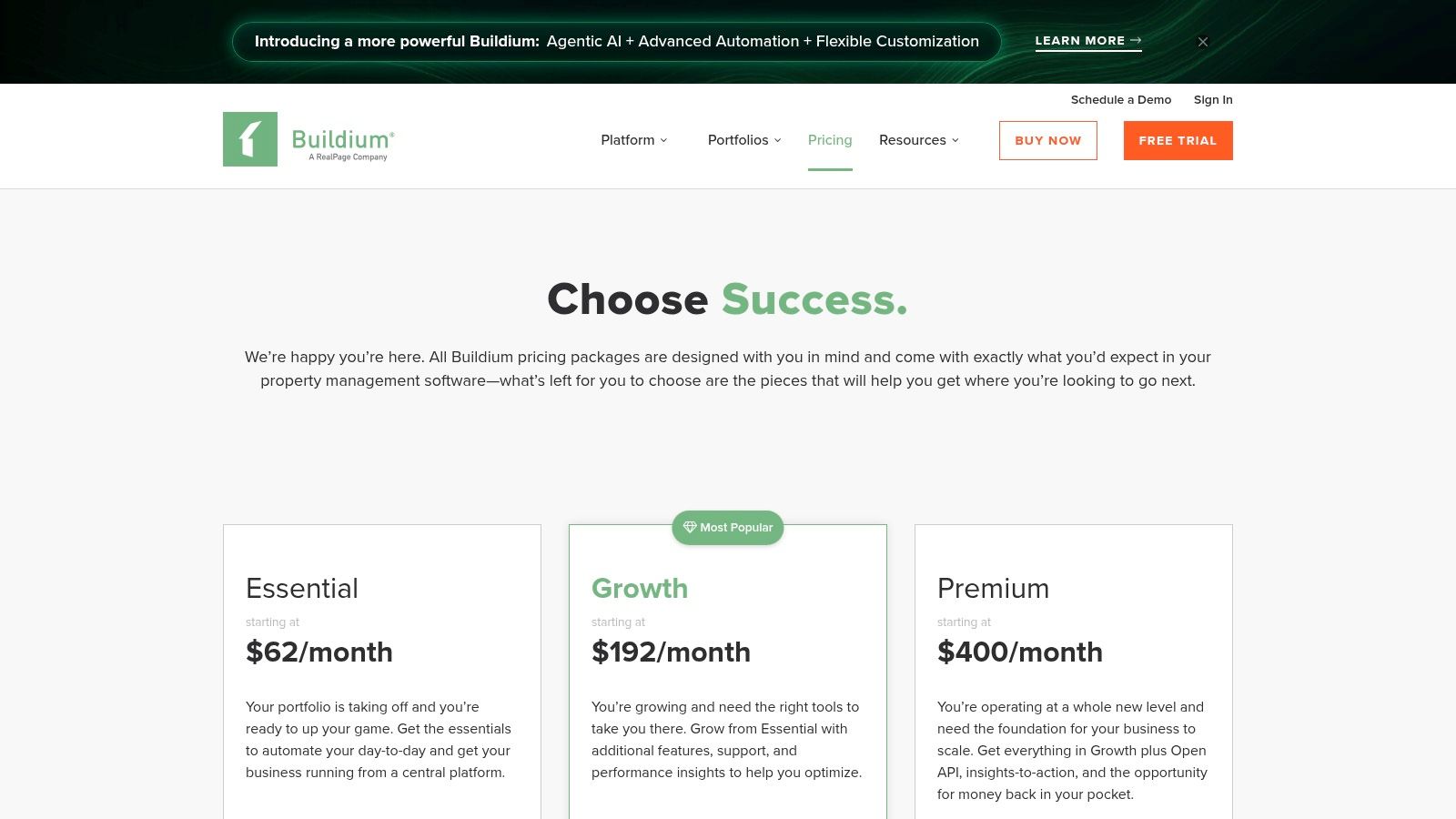
Buildium offers a tiered pricing structure starting with the "Essential" plan, which is designed for smaller portfolios. The price increases with the "Growth" and "Premium" plans, which unlock more advanced features like e-signatures, performance analytics, and API access. The platform is more expensive than simple bookkeeping tools, but its value lies in its all-in-one functionality. A 14-day free trial is available to test the software. Onboarding is supported by a detailed knowledge base and customer support.
- Pros:
- Deep accounting features, including robust trust accounting capabilities.
- Fully integrated with a comprehensive suite of property management tools.
- Scales effectively from small portfolios to large-scale operations.
- Cons:
- Higher entry-level price point compared to accounting-only software.
- Can be overly complex for landlords who only need basic bookkeeping.
Visit Buildium.com to learn more.
4. AppFolio Property Manager
AppFolio Property Manager is an enterprise-grade, all-in-one platform designed for professional property management companies and landlords with large, growing portfolios. It moves beyond simple bookkeeping to offer a complete property operations suite, where its GAAP-compliant accounting system is a core component. The software is built for scale, providing sophisticated tools to manage complex financial operations across many units.
The platform's strength lies in its comprehensive automation and integration. By combining accounting, resident communication, maintenance, and marketing into a single system, AppFolio provides a unified source of truth for your business. Its robust general ledger, coupled with automated accounts payable and receivable workflows, drastically reduces administrative overhead and provides clear, portfolio-level financial insights.
Key Features & Use Cases
- Full General Ledger & Bank Feeds: Maintain a complete, GAAP-compliant set of books with real-time transaction syncing.
- Payables/Receivables Automation: Streamline vendor payments and rent collection with automated invoicing and online payment processing.
- Resident & Vendor Portals: Provide self-service portals for tenants to pay rent and submit maintenance requests, and for vendors to manage invoices.
- Portfolio-Level Analytics: Generate advanced financial reports and dashboards to analyze the performance of your entire portfolio.
Best For: Professional property managers and investors with large or rapidly scaling portfolios (typically 50+ units) who need a powerful, all-in-one solution for accounting and operations.
Pricing and Onboarding
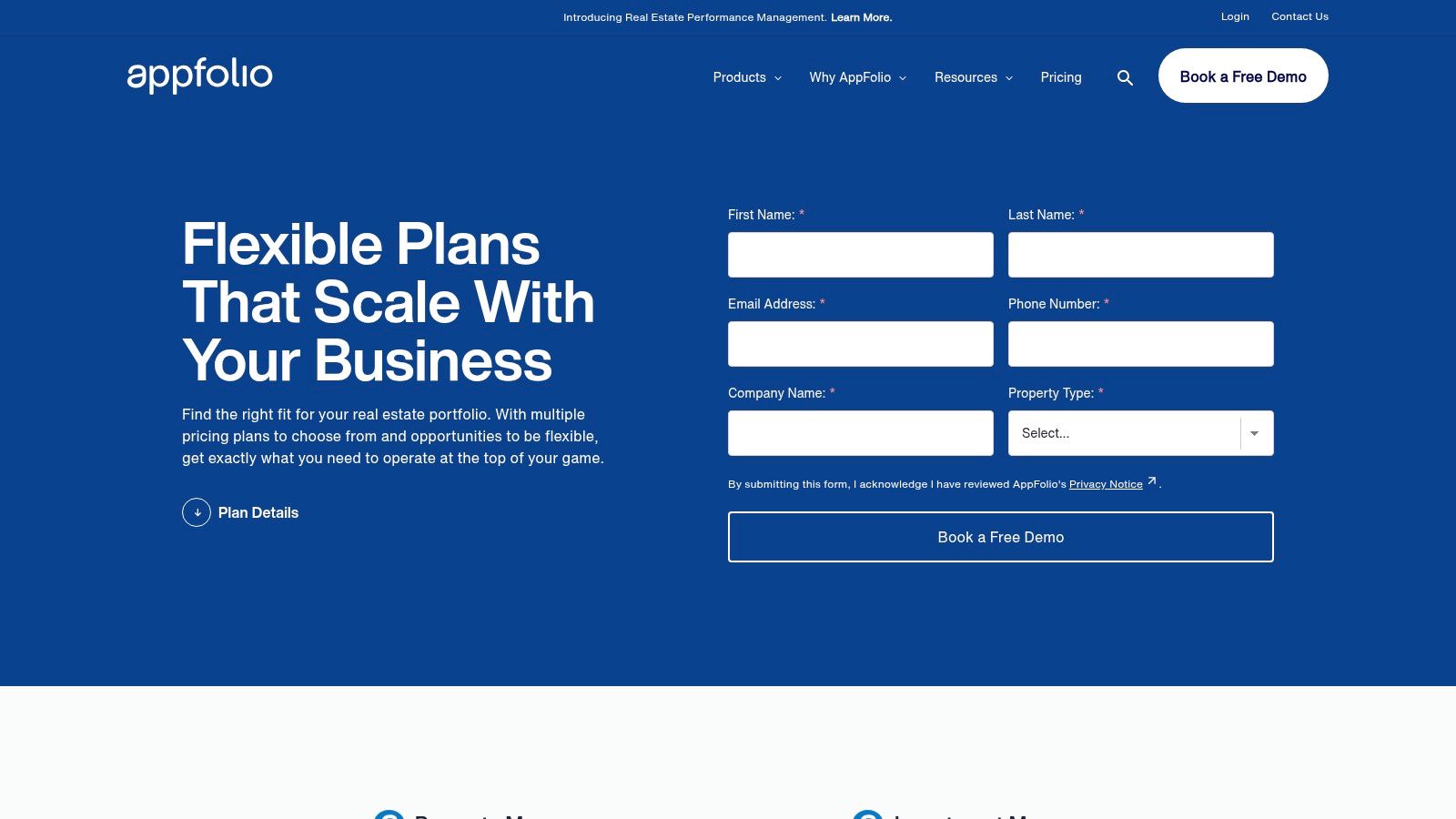
AppFolio uses a custom pricing model based on portfolio size and type, with per-unit-per-month fees and a minimum monthly spend. This structure makes it a significant investment compared to other options. The onboarding process is more involved, often including a dedicated implementation specialist and associated fees to ensure the system is configured correctly for your business needs.
- Pros:
- Extremely robust accounting engine built for complex portfolios.
- Scalable architecture with powerful automation and integration tools.
- All-in-one platform reduces the need for multiple disparate software systems.
- Cons:
- High cost and minimum monthly fees make it unsuitable for small landlords.
- Can be overly complex for users who only need basic accounting features.
Visit AppFolio.com to learn more.
5. Rentec Direct
Rentec Direct provides a comprehensive suite of tools that combines property management functions with a complete accounting system. It stands out by offering a solution that scales effectively for both DIY landlords and professional property managers, with dedicated plans for each. The platform is designed to be an all-in-one hub for managing rentals, from collecting payments to screening tenants and balancing the books.
Its core strength lies in its robust, general ledger-based accounting, which allows for detailed financial tracking and reporting on a property, owner, or portfolio basis. Unlike some competitors that focus solely on high-level metrics, Rentec Direct offers the granularity needed for meticulous bookkeeping, including trust accounting capabilities for property managers handling client funds. This makes it an excellent choice for those who need more than just simple income and expense tracking.
Key Features & Use Cases
- Full General Ledger Accounting: Track income, expenses, liabilities, and equity for a complete financial picture of your rental business.
- Free ACH Rent Payments: Offer tenants the convenience of online payments at no additional cost for you or them.
- Wholesale Tenant Screening: Access discounted background and credit checks integrated directly into the platform.
- Mobile Apps: Dedicated apps for both landlords and tenants allow for on-the-go management and communication.
Best For: Landlords and smaller property management firms who need a robust, all-in-one system with strong accounting features and straightforward pricing.
Pricing and Onboarding
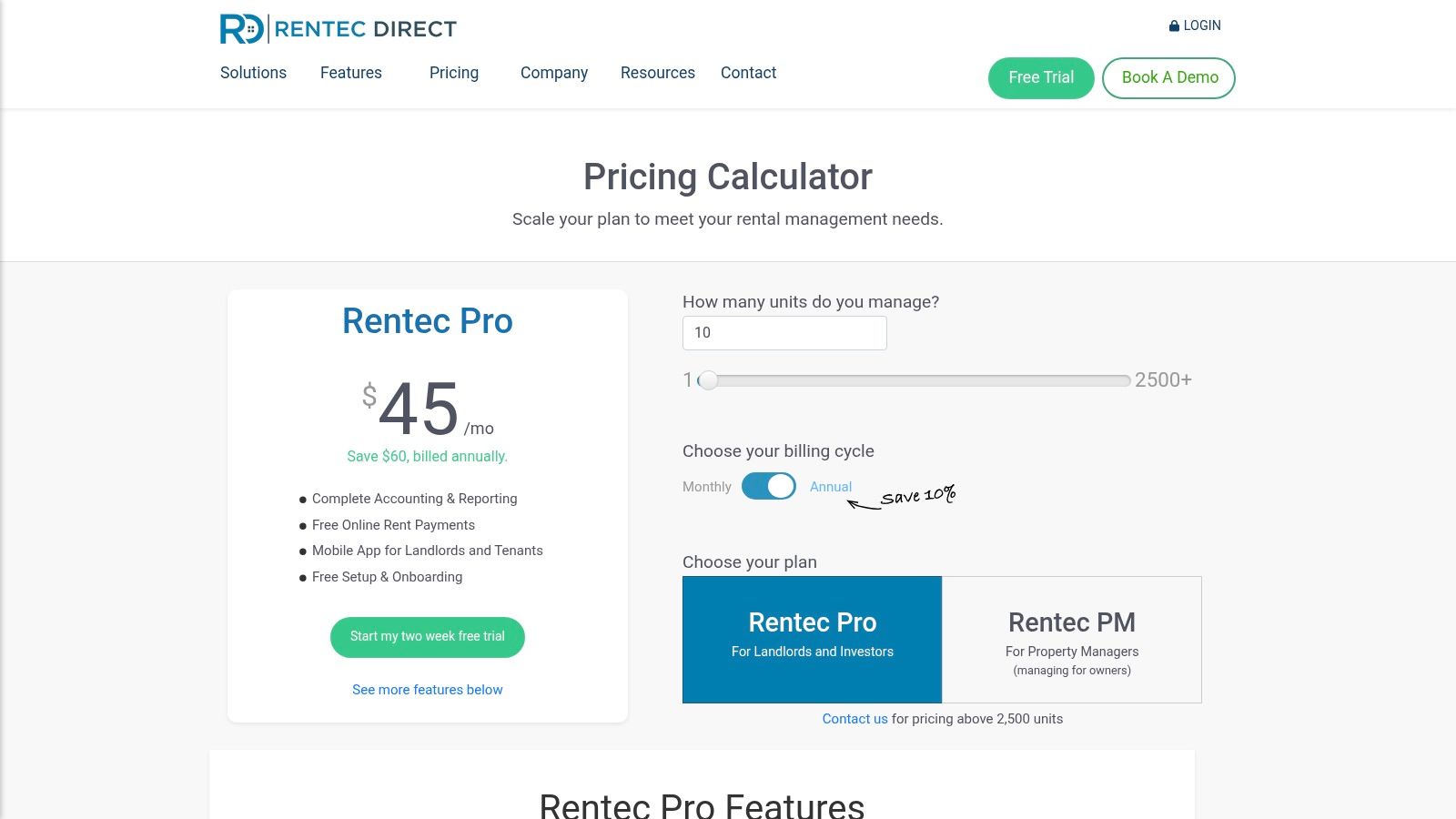
Rentec Direct's pricing is transparent and based on the number of units you manage. The "Rentec Pro" plan is designed for landlords, starting at $45 per month, while the "Rentec PM" plan, starting at $55 per month, adds features for professional managers like trust accounting and owner portals. A key benefit is their free setup and US-based customer support, which simplifies the onboarding process. The interface is more utilitarian and function-focused compared to newer, design-centric platforms, but it is well-organized and reliable.
- Pros:
- Transparent, flat-rate monthly pricing with no hidden fees.
- Excellent US-based customer support and free onboarding assistance.
- Integrated tenant screening at competitive wholesale rates.
- Cons:
- The user interface feels dated compared to more modern competitors.
- Trust accounting and other key property manager features are limited to the more expensive PM plan.
Visit RentecDirect.com to learn more.
6. DoorLoop
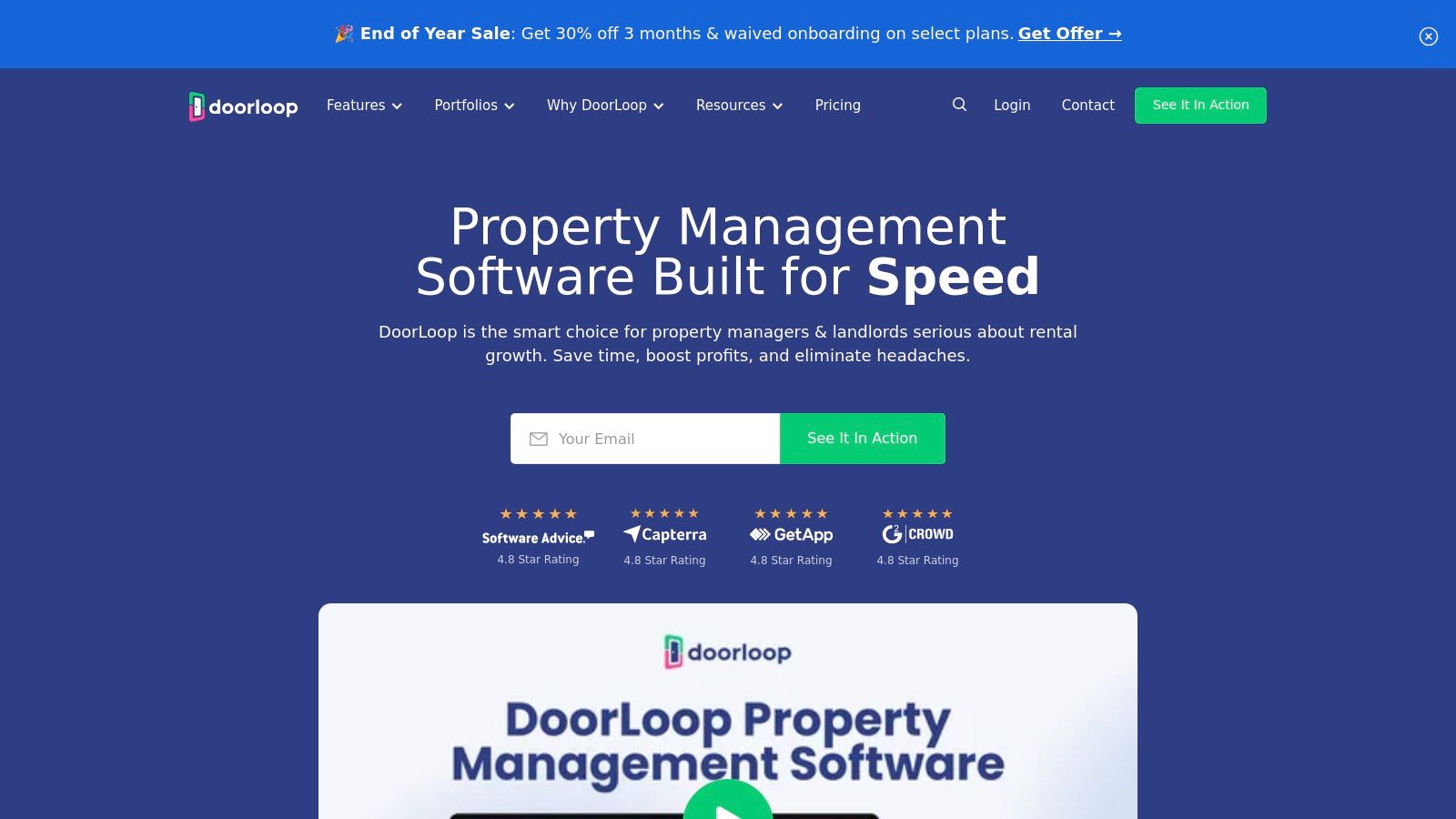
DoorLoop is an all-in-one property management platform that positions itself as a modern, user-friendly alternative to generic accounting tools like QuickBooks. Its built-in accounting suite is designed specifically for rental property owners, integrating seamlessly with a full range of management features, from tenant screening to maintenance requests. This integrated approach eliminates the need for multiple, disconnected software solutions.
The platform's strength lies in its comprehensive feature set that grows with your portfolio. It offers a complete chart of accounts, a full general ledger, and tools for bank reconciliation, making it a powerful contender for the best accounting software for landlords who want to manage everything under one roof. By linking bank accounts, DoorLoop automates much of the transaction entry and categorization process, directly populating financial reports.
Key Features & Use Cases
- Integrated General Ledger: A complete accounting system with bank reconciliation, budgeting, and robust financial reporting capabilities.
- Online Rent Collection: Collect payments via a tenant portal with ACH and credit card options, automatically logging income.
- Maintenance & Communications: Manage maintenance requests, track work orders, and communicate with tenants directly within the platform.
- QuickBooks Online Sync: For those not ready to leave QuickBooks entirely, the Pro plan offers a direct synchronization feature.
Best For: Landlords and property managers who want a single, scalable platform to handle both their accounting and day-to-day property management tasks.
Pricing and Onboarding
DoorLoop's pricing is tiered, starting with the "Starter" plan for up to 20 units at a discounted rate for the first two months. The "Pro" and "Premium" plans add more advanced features like QuickBooks Online sync, owner portals, and API access. The platform is known for its clean, modern interface, which simplifies the onboarding process. Users can get started quickly by adding properties, tenants, and connecting their bank accounts for automated transaction tracking.
- Pros:
- Modern user interface that is easy to deploy and navigate.
- Transparent pricing on both platform and payment processing fees.
- Feature depth scales effectively as your portfolio grows.
- Cons:
- ACH/card processing fees are tenant-paid by default and vary by tier.
- The most powerful features are reserved for the higher-priced Pro and Premium plans.
Visit DoorLoop.com to learn more.
7. TurboTenant
TurboTenant is an all-in-one landlord platform that bundles property management tools with accounting features, making it a strong contender for DIY landlords who want a single hub for their operations. While not a dedicated accounting-first platform, it integrates financial tracking directly with its core functions like rent collection and expense management, simplifying the bookkeeping process. The platform is designed to streamline the entire rental lifecycle, from listing a property to collecting payments.
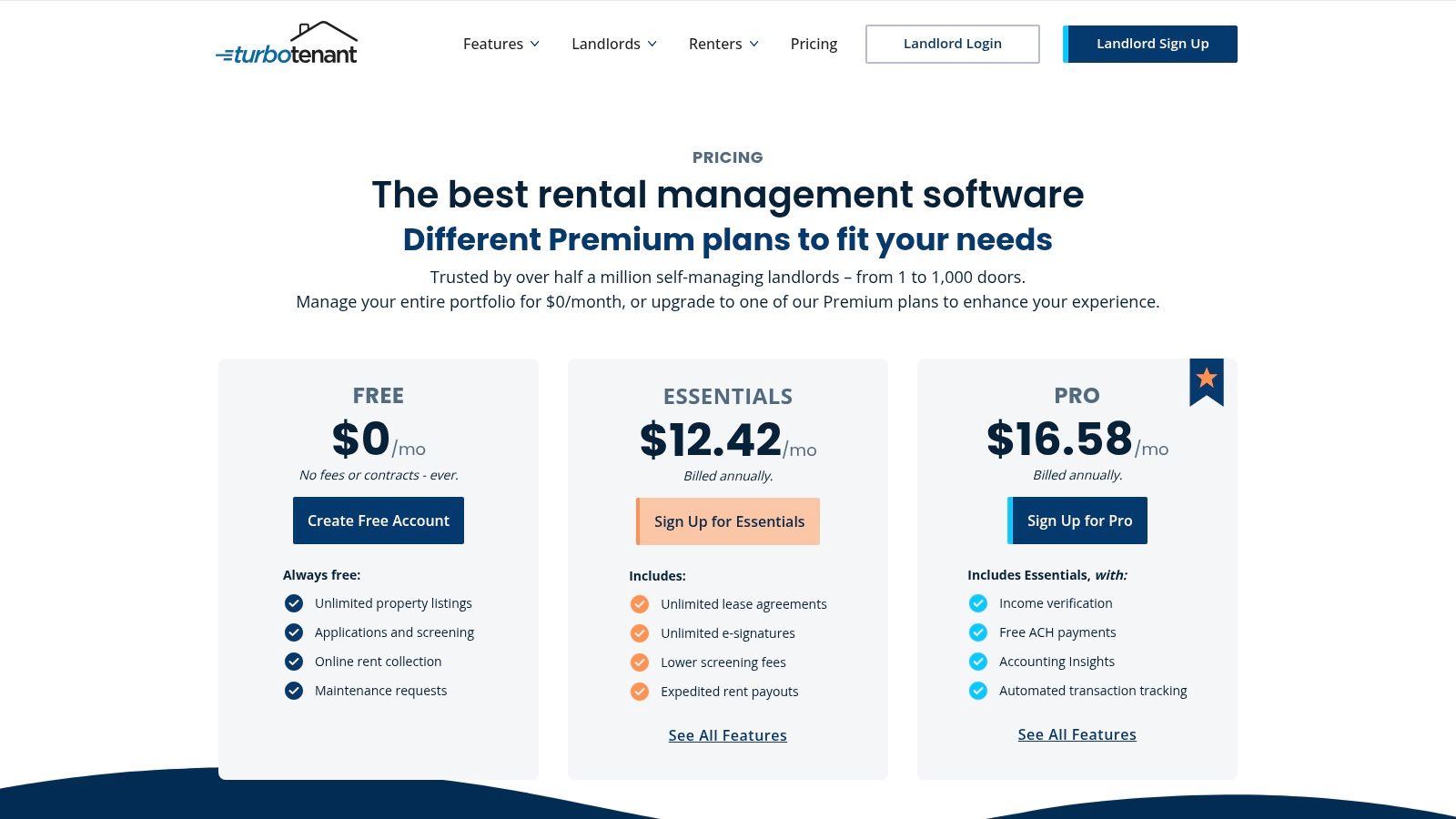
Its primary strength lies in its free-to-start model, which allows landlords to manage unlimited properties without an initial subscription fee. When tenants pay rent online, the transactions are automatically logged, providing a clear income record. For landlords who require more robust accounting, TurboTenant offers a valuable integration with REI Hub, a specialized real estate bookkeeping service, allowing users to scale their financial management as their portfolio grows. This makes it an excellent piece of accounting software for landlords looking for an integrated solution.
Key Features & Use Cases
- Online Rent Collection: Collect rent via ACH or credit card, with automatic late fee calculations and payment tracking.
- State-Specific Leases: Generate and sign legally compliant lease agreements directly within the platform.
- Integrated Accounting: Premium tiers offer automated income and expense tracking, and data exports for tax preparation.
- REI Hub Integration: Connect your account to a dedicated real estate accounting platform for more advanced bookkeeping and reporting.
Best For: DIY landlords with small-to-medium portfolios who prioritize an integrated suite of management tools (listings, screening, leases) alongside essential accounting features.
Pricing and Onboarding
TurboTenant's "Free" plan allows for unlimited properties with core features funded by optional landlord services and tenant-paid fees for applications. The "Premium" tier unlocks advanced features like unlimited state-specific leases, e-signatures, and faster rent payouts for a monthly or annual fee. Onboarding is simple: create a free account, add property details, and invite tenants to begin collecting rent and tracking financials. The user interface is clean and guides landlords through each step of the rental process.
- Pros:
- Generous free plan with unlimited properties.
- Combines property management and accounting in one platform.
- Transparent pricing for both landlords and tenants.
- Cons:
- Core accounting features are limited on the free plan.
- Tenant-paid fees for ACH/card payments on some plans can be a point of friction.
Visit TurboTenant.com to learn more.
8. RentRedi
RentRedi positions itself as an all-in-one property management platform, and its recently launched Accounting Suite makes it a strong contender for landlords seeking a single system for all their needs. While historically known for its property management tools, this accounting upgrade brings powerful, AI-assisted features directly into the ecosystem, eliminating the need to sync with external bookkeeping software.
The platform is designed to consolidate landlord tasks, from tenant screening and maintenance requests to rent collection and financial reporting. Its new accounting functionality leverages AI for receipt capture and automatic expense categorization, aiming to significantly reduce manual data entry. This integration means that rent payments collected through the platform flow directly into your financial statements, creating a seamless data trail.
Key Features & Use Cases
- AI-Powered Receipt Capture: Snap a photo of a receipt, and RentRedi's AI will automatically pull key data and categorize the expense.
- Integrated Financial Reporting: Generate profit and loss statements on both a property and portfolio level without leaving the platform.
- One-Click Schedule E Summary: Streamlines tax preparation by creating a Schedule E worksheet with just one click.
- Accountant Access & Export: Grant your CPA direct access to your books or export your data for use with QuickBooks.
Best For: Landlords who want a single, integrated platform to manage all aspects of their rental business, from tenant management to sophisticated accounting, without juggling multiple software subscriptions.
Pricing and Onboarding
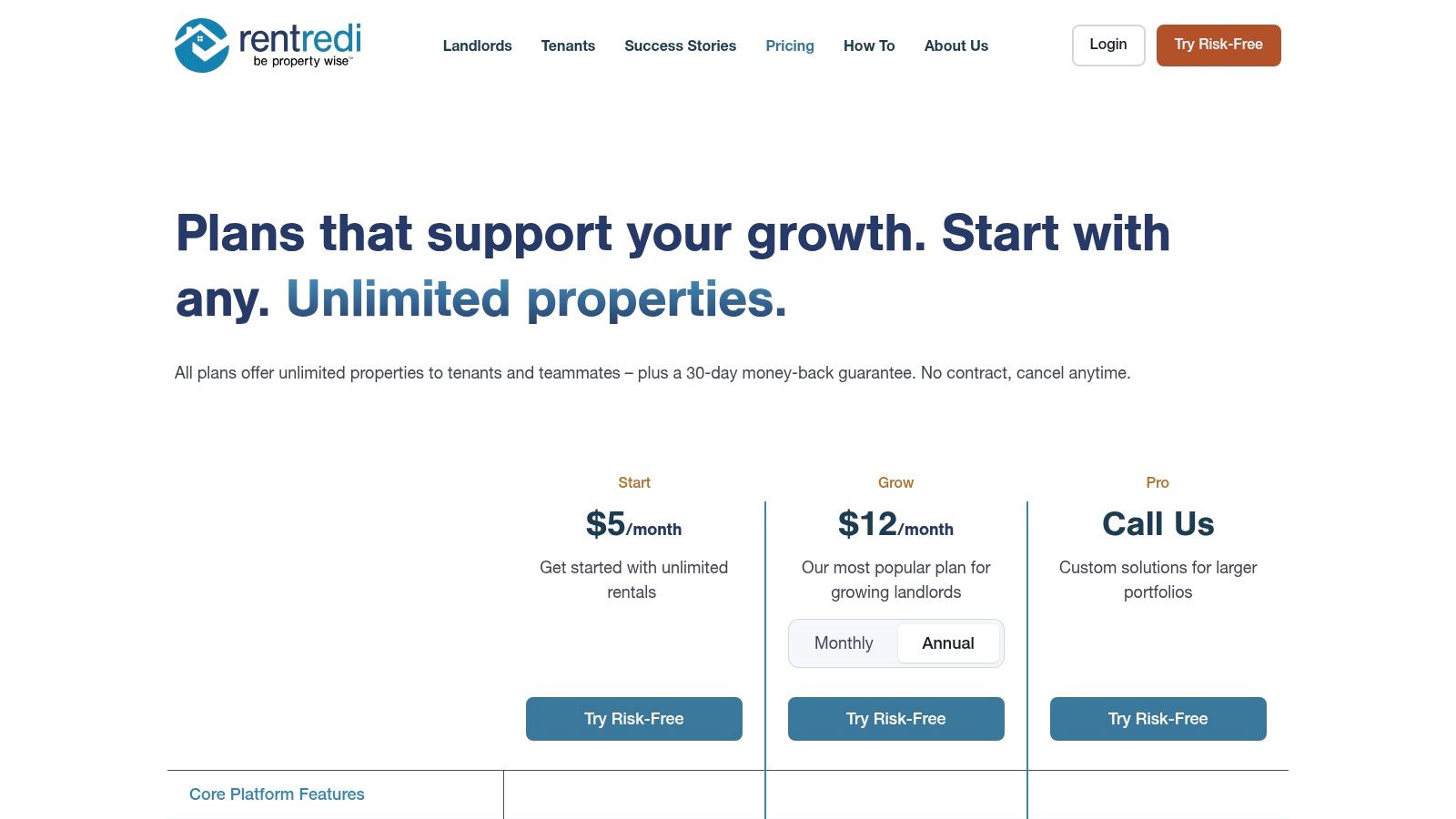
RentRedi offers several pricing tiers based on a monthly, semi-annual, or annual subscription model, with all plans supporting unlimited properties, tenants, and units. The core features, including rent collection and the new accounting suite, are available across all plans. More advanced capabilities, such as team member access and advanced reporting, may be tied to higher-tier subscriptions. Onboarding involves setting up your properties and tenants within the system and then utilizing the accounting tab to manage your financial data.
- Pros:
- Strong accounting features are integrated into a full property management suite.
- Supports unlimited properties, units, and tenants on all plans.
- Offers multiple payment options for tenants and fast payout times for landlords.
- Cons:
- Advanced features for larger teams require higher-priced plans.
- As features are new, some support documentation may be catching up.
Visit RentRedi.com to learn more.
9. REI Hub
REI Hub is a bookkeeping solution crafted from the ground up for real estate investors, positioning it as a strong contender for the best accounting software for landlords who need simplicity and focus. Unlike general-purpose accounting tools that require extensive customization, REI Hub provides a ready-to-use framework with a real estate-specific chart of accounts, streamlining the setup process significantly. It excels at core landlord bookkeeping without unnecessary complexity.
The platform focuses on automating essential financial tracking by linking to your bank accounts and credit cards to import transactions automatically. Its rules-based engine helps categorize recurring expenses and rental income, minimizing manual data entry. This direct approach ensures that landlords can quickly generate accurate, tax-ready reports like the Schedule E, track fixed assets, and monitor loan amortization schedules with ease.
Key Features & Use Cases
- Real Estate-Specific Chart of Accounts: Comes pre-configured for rental properties, saving hours of setup time.
- Automatic Transaction Import & Rules: Connect financial accounts to pull in transactions and create rules for auto-categorization.
- Loan & Fixed Asset Tracking: Includes modules for tracking loan balances, interest payments, and calculating asset depreciation.
- Tax-Ready Reporting: Easily generate key reports, including a Schedule E worksheet, to simplify tax preparation.
Best For: Landlords with small to mid-sized portfolios who want a dedicated bookkeeping tool that is simpler than general accounting software but more robust than a spreadsheet.
Pricing and Onboarding
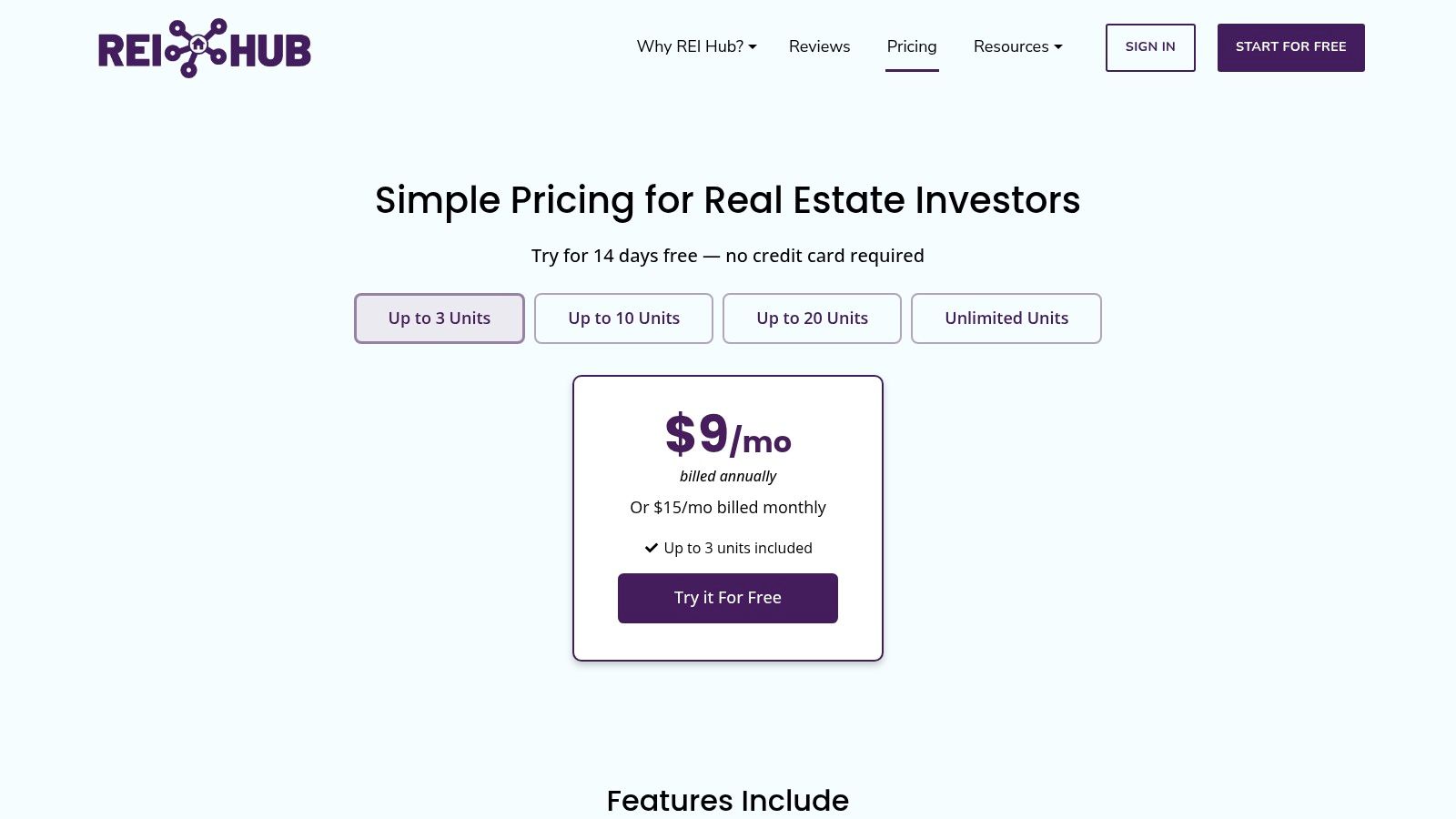
REI Hub offers transparent, tiered pricing based on the number of units you manage, starting with a plan for 1-3 units and scaling up to an unlimited-unit plan. Each tier includes all core features, so you don't lose functionality on lower-priced plans. Onboarding is straightforward: create an account, add your properties, connect your bank accounts, and begin categorizing your synced transactions. Its focused feature set makes the learning curve gentle for new users.
- Pros:
- Purpose-built for landlords with less setup than general apps.
- Transparent pricing that scales with your portfolio size.
- Direct integration with platforms like TurboTenant for a smoother workflow.
- Cons:
- It is not a full property management suite; lacks maintenance or tenant communication tools.
- Analytics and reporting are less advanced than large, all-in-one platforms.
Visit REIHub.net to learn more.
10. Hemlane
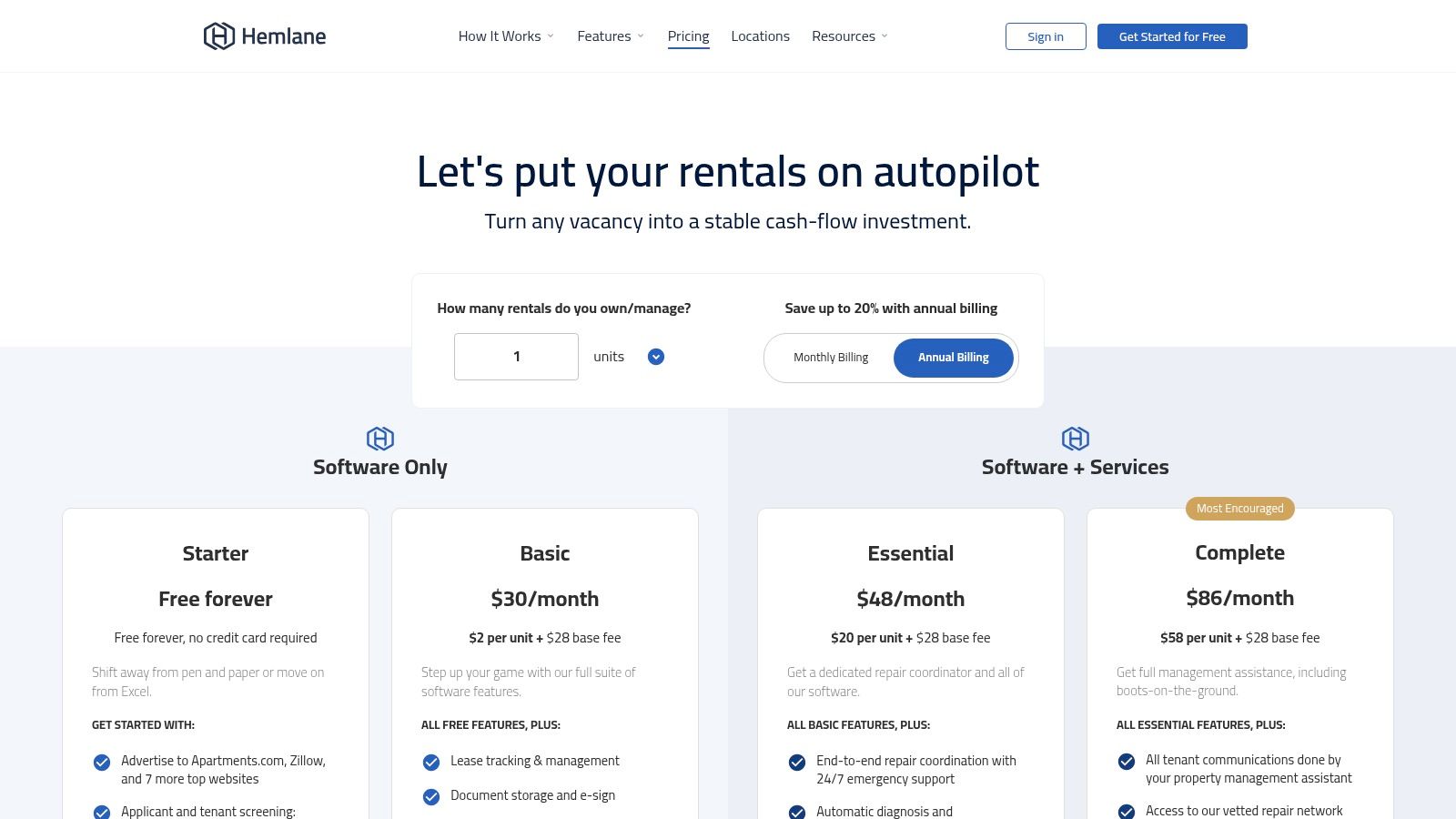
Hemlane carves out a unique niche by blending comprehensive property management software with optional, on-demand services for repairs and leasing. While it functions as a full-featured management platform, its integrated accounting tools are robust enough to stand on their own, making it a strong contender for landlords who want the option to scale their involvement from DIY to semi-passive management. The platform’s design allows you to handle the books yourself or delegate tasks as needed.
It connects directly with your bank accounts to synchronize transactions, feeding data into cash flow reports and income statements that provide a clear financial picture. This integration is a core component of its value, automating much of the manual data entry required to keep accurate records for your rental properties.
Key Features & Use Cases
- Full Rental Accounting with Bank Sync: Connect financial accounts for automated transaction importing and categorization.
- Cash-Flow and Income Statements: Generate essential financial reports to track profitability on a per-property or portfolio basis.
- Online Rent Collection: Tenants can pay via ACH (free on paid plans), which automatically records income in your ledger.
- Optional Management Services: Access à-la-carte services like 24/7 repair coordination and local agent leasing support.
Best For: Landlords who want a single platform for both accounting and property management, with the flexibility to add professional services as their needs change or portfolio grows.
Pricing and Onboarding
Hemlane’s pricing is tiered, starting with a basic plan and scaling up to more comprehensive packages that include additional units and features. The real value is unlocked in the paid tiers, which provide the core accounting and management tools like free ACH rent collection and bank synchronization. The service add-ons, such as repair coordination, are priced separately. Onboarding involves setting up your properties, connecting bank accounts, and inviting tenants to the platform.
- Pros:
- Unique combination of software plus optional hands-on services.
- Solid accounting basics are built directly into the management platform.
- Flexible per-unit pricing structure that scales with your portfolio.
- Cons:
- The starter tier is quite limited; most value is found in paid plans.
- Service add-ons for repairs or leasing can significantly increase the total cost.
Visit Hemlane.com to learn more.
11. Avail (by Realtor.com)
Avail is a comprehensive platform designed for DIY landlords who need more than just accounting. While not a dedicated accounting tool, its inclusion of financial tracking alongside a full suite of property management features makes it a strong contender, particularly for those just starting out or managing a smaller number of units. It positions itself as an all-in-one solution to manage the entire rental lifecycle.
The platform integrates accounting functionalities directly with its core property management tools. When tenants pay rent through Avail, the income is automatically logged. Landlords can also manually add and categorize other expenses, from repairs to property taxes, creating a centralized financial ledger for each property. This approach simplifies bookkeeping by keeping financial data in the same place as leases, maintenance requests, and tenant communications.
Key Features & Use Cases
- Integrated Rent Collection: Collect rent via direct deposit, with features for automatic reminders and late fees.
- Income & Expense Tracking: Log all property-related financial transactions to maintain a clear financial overview.
- State-Specific Leases: Create, customize, and digitally sign leases that are compliant with local regulations.
- Maintenance Management: Tenants can submit maintenance requests with photos, and landlords can track progress directly within the platform.
Best For: DIY landlords with one to ten units who want a free or low-cost all-in-one platform that combines essential accounting with full-cycle property management tools.
Pricing and Onboarding
Avail's standout offering is its "Unlimited" plan, which is completely free and provides a robust set of tools, including syndicated listings, tenant screening, state-specific leases, and maintenance tracking. For landlords wanting faster rent payouts and waived ACH fees, the "Unlimited Plus" plan is available for a monthly per-unit fee. Onboarding is straightforward, guiding landlords through setting up properties, creating leases, and inviting tenants to the platform.
- Pros:
- Excellent free plan with all the essential tools for managing rentals.
- Combines accounting with property management, reducing the need for multiple apps.
- State-specific lease templates add significant value and compliance peace of mind.
- Cons:
- Accounting features are more basic compared to specialized investor software.
- The per-unit pricing on the paid plan can become costly as a portfolio grows.
Visit Avail.co to learn more.
12. Capterra (rental property management software category)
Rather than being a singular software, Capterra serves as a comprehensive discovery platform, earning its place on this list as an essential research tool. It’s a software directory where landlords can compare dozens of rental property management and accounting solutions side-by-side. The platform aggregates user reviews, feature lists, and pricing information to help you make an informed decision before committing to a specific tool.
Capterra's strength lies in its powerful filtering system. You can narrow down the vast software market by specific features like "Accounting," "Online Payments," and "Tax Management." This allows you to create a customized shortlist of options that meet your exact needs, saving you countless hours of individual research and demo requests. Reading through aggregated user feedback provides real-world insights into a platform’s usability and customer support quality.
Key Features & Use Cases
- Advanced Filtering: Sort software options by features, user rating, pricing model, and deployment type.
- Aggregated User Reviews: Read verified user reviews to gauge the pros and cons of different platforms from actual landlords.
- Vendor Comparison Tools: View feature matrices that place multiple software options side-by-side for direct comparison.
- Buyer Guides & Research: Access articles and guides that explain software categories and help define your requirements.
Best For: Landlords in the initial research phase who want to efficiently compare a wide range of accounting software options and validate vendor claims with user-generated reviews.
Pricing and Onboarding
Capterra is a completely free resource for buyers. The platform is supported by software vendors who pay for placement and lead generation. The user experience is straightforward: navigate to the rental property management category, apply your desired filters, and begin exploring your options. Each listing provides a direct link to the vendor's website, where you can sign up for a trial or demo. This process is a crucial first step in finding the right tool for your portfolio, and understanding the landscape is key.
For a structured approach to making your final selection, explore our guide on how to choose the best real estate investment software, which complements the research you'll do on Capterra.
- Pros:
- Saves significant time during the software discovery and shortlisting process.
- Provides social proof and validation through a large volume of user reviews.
- Completely free to use for research and comparison.
- Cons:
- Sponsored listings can influence the order of results.
- Pricing and feature information may occasionally be outdated compared to the official vendor website.
Visit Capterra.com to learn more.
Top 12 Landlord Accounting Software Comparison
| Product | Core features | UX / Quality | Target audience | Unique selling point | Pricing / Value |
|---|---|---|---|---|---|
| Stessa | Auto transaction import, Schedule E-ready reports, rent collection | ★★★★ | 👥 Landlords & investors scaling portfolios | ✨ Auto bank feeds & tax-ready reporting | 💰 Free tier → Pro for advanced |
| Landlord Studio | Bank feeds, receipt scan, Schedule E, Xero integration | ★★★★ | 👥 Small landlords, mobile-first users | ✨ Mobile apps + easy bookkeeping | 💰 Affordable tiers; some features on higher plans |
| Buildium | Full accounting, trust accounting, leasing, maintenance, e-sign | ★★★★★ 🏆 | 👥 Professional managers & larger landlords | ✨ Deep accounting + AI assistant | 💰 Higher entry price; scalable plans |
| AppFolio Property Manager | GAAP-oriented ledger, payables/receivables automation, portals | ★★★★★ 🏆 | 👥 Enterprise & portfolios 50+ units | ✨ Portfolio analytics & strong automation | 💰 Custom pricing with minimums |
| Rentec Direct | Full accounting, free ACH rent setup, mobile apps, trust accounting (PM) | ★★★★ | 👥 Landlords & small managers who want transparent pricing | ✨ Free setup & onboarding; wholesale screening | 💰 Straightforward, competitive monthly pricing |
| DoorLoop | General ledger, budgeting, bank reconciliation, QuickBooks sync | ★★★★ | 👥 Mid-size landlords & growing portfolios | ✨ Modern UI; QuickBooks alternative + APIs | 💰 Transparent fees; best value on higher tiers |
| TurboTenant | Listings, tenant screening, rent collection, state leases & e-sign | ★★★ | 👥 DIY landlords & listing-first users | ✨ Zero-cost core plan with unlimited doors | 💰 Free → paid tiers for faster payouts/accounting |
| RentRedi | AI receipt capture, P&L, one-click Schedule E, QuickBooks export | ★★★★ | 👥 Growing landlords wanting in-app accounting | ✨ AI-assisted accounting workflow | 💰 Competitive plans; unlimited properties supported |
| REI Hub | Property-based ledgers, depreciation, bank sync, Schedule E | ★★★★ | 👥 Real-estate investors focused on bookkeeping | ✨ Investor-focused depreciation & tax tools | 💰 Transparent portfolio-size pricing |
| Hemlane | Bank sync, cash-flow & income statements, rent collection, services | ★★★★ | 👥 Landlords who want software + optional services | ✨ Software + à‑la‑carte repair/management services | 💰 Per-unit scaling; paid plans unlock $0 ACH |
| Avail (by Realtor.com) | Direct-deposit rent, expense tracking, state leases, maintenance | ★★★ | 👥 Small U.S. landlords, DIY users | ✨ Free Unlimited plan with core landlord tools | 💰 Free → Unlimited Plus removes ACH fees |
| Capterra (directory) | Filterable category pages, aggregated reviews, vendor links | ★★★★ | 👥 Buyers researching software vendors | ✨ Buyer guides + aggregated user feedback | 💰 Free to use (some sponsored placements) |
Making Your Final Decision: Your Accounting Software Checklist
Navigating the landscape of rental property finance can feel overwhelming, but selecting the best accounting software for landlords transforms that complexity into clarity. Throughout this guide, we've explored a wide range of tools, from the investor-focused simplicity of Stessa and REI Hub to the all-in-one powerhouses like Buildium and AppFolio. We’ve seen how dedicated platforms like Landlord Studio and DoorLoop provide robust, mobile-first solutions, while others like TurboTenant and Avail offer excellent entry points for new landlords managing their first few properties.
The key takeaway is that there is no single "best" platform for everyone. The ideal software is the one that aligns perfectly with your portfolio's size, your technical comfort level, and your long-term investment goals. Your final decision hinges on an honest assessment of your operational needs.
Your Personal Software Selection Checklist
Before you commit, run through this final checklist. Thinking through these points will help you filter through the options we've discussed and pinpoint the solution that will serve you best, not just today, but as your portfolio expands.
1. Define Your Current Portfolio Scale:
- 1-3 Properties: Your primary needs are likely straightforward income and expense tracking, rent collection, and basic reporting. Look at tools like Stessa, Avail, or TurboTenant. Their free or low-cost tiers are often sufficient and prevent you from overpaying for features you won't use.
- 4-15 Properties: You're now in the "small-to-medium portfolio" zone. Your needs will expand to include more detailed reporting, potential 1099-NEC filing for contractors, and more sophisticated bank transaction categorization. Landlord Studio, DoorLoop, and REI Hub are excellent contenders here, offering a balance of power and affordability.
- 15+ Properties: At this scale, efficiency is paramount. You need a comprehensive property management solution with robust, integrated accounting. Look for features like owner portals, advanced trust accounting, and extensive integration capabilities. Buildium, AppFolio, and Rentec Direct are built for this level of professional management.
2. Evaluate Your Most Critical Accounting Needs:
- Basic Financials: Is your main goal to simply replace a spreadsheet with a more organized system for tracking rent payments and repair costs? Most of the tools on our list excel here.
- Tax Preparation: Do you dread tax season? Prioritize software that generates a Schedule E report, tracks depreciable assets, and ideally, offers integration with tax software. Stessa and REI Hub are particularly strong in this area for DIY investors.
- Automation and Integration: How important is it for the software to connect directly to your bank accounts, credit cards, and other tools? A seamless bank feed saves countless hours of manual entry. Furthermore, consider if it needs to connect with other platforms you use for analysis or tenant screening.
3. Consider Your Future Growth Trajectory:
Choosing a platform isn't just about solving today's problems; it's an investment in your future efficiency. If you plan to scale from two properties to ten in the next few years, choosing a platform like DoorLoop or Landlord Studio that offers scalable pricing tiers will prevent a painful data migration process down the road. Avoid boxing yourself into a "beginner-only" tool if your ambitions are larger.
Ultimately, the best accounting software for landlords is a strategic asset. It provides the financial clarity needed to make smarter investment decisions, streamlines your administrative workload, and ensures you're always prepared for tax season. By using the checklist above to match your unique landlord profile with the features we've detailed, you can confidently select a tool that delivers accuracy, efficiency, and invaluable peace of mind.
Landlord Accounting Software FAQ
1. Can I use QuickBooks for landlord accounting?
Yes, QuickBooks is a powerful accounting tool that can be adapted for rental properties. However, it requires significant customization. You'll need to set up a specific chart of accounts, learn to use classes to track properties, and manually manage items like security deposits. Dedicated landlord software like Stessa or Landlord Studio comes pre-configured for these tasks, saving you time and reducing the risk of setup errors.
2. What's the difference between "accounting software" and "property management software"?
Property management software (like Buildium or AppFolio) is an all-in-one platform that typically includes accounting as one of many features, alongside tools for leasing, maintenance requests, and tenant communication. Accounting software for landlords (like REI Hub) focuses specifically on the financial side—tracking income, expenses, and preparing tax reports. Many modern tools blend both functions. Your choice depends on whether you need a simple bookkeeping solution or a comprehensive system to manage all landlord operations.
3. Do I need accounting software if I only have one rental property?
While you might manage with a spreadsheet for one property, using dedicated software—even a free version like Stessa or Avail—is highly recommended. It automates income and expense tracking by linking to your bank account, ensures your categories are correct for tax time, and creates a professional system from day one. This makes it much easier to scale your portfolio and provides a clear, accurate picture of your investment's performance.
4. What is a Schedule E report, and why is it important?
The Schedule E (Form 1040), Supplemental Income and Loss, is the IRS form used to report income or losses from rental real estate. Good landlord accounting software will automatically categorize your income and expenses (like repairs, insurance, property taxes) and generate a report that mirrors the format of the Schedule E. This feature saves hours of work during tax season and helps ensure you claim all eligible deductions.
Once you have your accounting organized, the next step is to analyze your deals with precision. Flip Smart provides powerful real estate investment analysis tools to help you evaluate potential flips and rental properties, ensuring every purchase aligns with your financial goals. Complement your new accounting software with a top-tier analysis platform by visiting Flip Smart to see how you can make smarter, data-driven investment decisions.